Track student progress with scoreboards
Five approaches to tracking student progress digitally — from quiz platforms to analytics tools to simple leaderboards.
Article Contents
Parents expect digital tools. Students expect immediate feedback. Teachers need data without drowning in spreadsheets. Here are five categories of tools that address these expectations, along with what each does well and where each falls short.
For an all-in-one solution, consider a digital classroom leaderboard that combines tracking with visible motivation.
1. Interactive Assessment Platforms
These turn quizzes into games. Students get immediate feedback; teachers get instant data on who understood what.
Kahoot! runs live quizzes where students compete in real-time. Good for quick comprehension checks at the end of a lesson. The game format keeps engagement high, but the competitive pressure doesn't work for every student.
Quizizz lets students work at their own pace instead of racing. Better for homework or differentiated instruction. The meme integration is either a feature or a distraction depending on your class.
Socrative focuses on formative assessment — exit tickets, quick polls, space race games. Less flashy than Kahoot but more versatile for ongoing monitoring.
Leaderboarded provides customizable leaderboards with real-time updates that embed directly into websites or display on classroom screens. Particularly useful for long-term tracking across multiple activities. See our classroom reward system guide for implementation strategies.
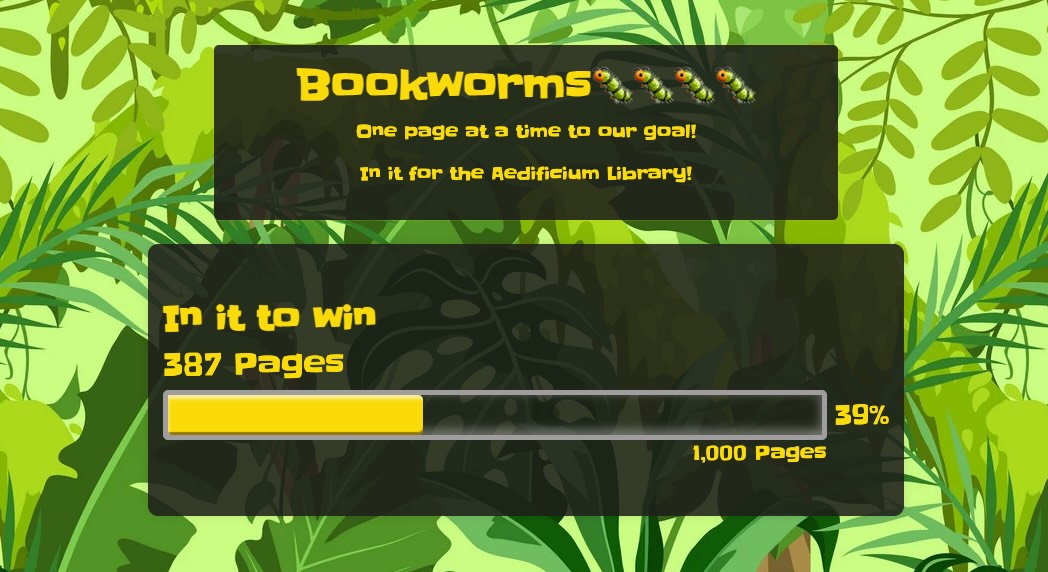 A reading program goal tracker from Leaderboarded.com
| Platform | Best For | Limitation |
|---|---|---|
| Kahoot! | Quick comprehension checks | Can stress slower students |
| Quizizz | Independent practice | Less immediate energy |
| Socrative | Formative assessment | Less engaging visuals |
| Leaderboarded | Long-term tracking | Requires manual score entry |
2. Learning Management Systems
LMS platforms handle assignments, grading, and communication in one place. The tradeoff is complexity — these are full systems, not lightweight tools.
Google Classroom integrates with Google Workspace, which most schools already use. Assignment distribution and grading are straightforward. Analytics are basic compared to dedicated platforms.
Canvas offers a standards-based gradebook and learning mastery tracking. More powerful than Google Classroom, but the learning curve is steeper.
Schoology sits between the two — more analytics than Google Classroom, easier setup than Canvas.

| Platform | Strength | Best For |
|---|---|---|
| Google Classroom | Simplicity, integration | Daily management |
| Canvas | Standards-based tracking | Comprehensive assessment |
| Schoology | Analytics depth | Data-driven instruction |
3. Digital Portfolios
Portfolios document growth over time through student work samples rather than test scores. Useful for project-based learning and parent conferences.
Seesaw works well for elementary students. Built-in creative tools and family sharing make it easy for young kids to document their work.
FreshGrade focuses on milestone tracking and narrative feedback. Better for project-based assessment where rubrics matter.
Bulb Digital targets secondary and higher education with professional-looking portfolios students can use for college applications.
| Platform | Target Users | Core Feature |
|---|---|---|
| Seesaw | Elementary | Family sharing |
| FreshGrade | Project-based | Milestone tracking |
| Bulb Digital | Secondary/Higher ed | Professional presentation |
4. Data Analytics Tools
These platforms aggregate data from multiple sources and turn it into dashboards. Useful for administrators and teachers who need to track trends across classrooms or schools.
PowerSchool is a comprehensive student information system with predictive analytics. Identifies at-risk students before they fail.
Clever connects different educational apps and visualizes data across platforms.
Eduphoria tracks standards mastery and curriculum alignment.
Tableau for Education provides sophisticated visualization for district-wide analysis.
| Platform | Scale | Primary Function |
|---|---|---|
| PowerSchool | District | Student information |
| Clever | Multi-platform | Data integration |
| Eduphoria | School | Standards tracking |
| Tableau | Institution | Advanced visualization |
5. Adaptive Learning Platforms
These adjust difficulty based on student performance, ensuring each student works at an appropriate challenge level.
IXL covers math and language arts with skill proficiency scoring. Students can't advance until they demonstrate mastery.
DreamBox focuses on mathematics with continuous assessment built into every activity.
Lexia Core5 specializes in reading with adaptive pathways based on diagnostic results.
Duolingo makes language learning engaging with clear progress milestones.

| Platform | Subject | Tracking Feature |
|---|---|---|
| IXL | Math, ELA | Skill proficiency |
| DreamBox | Math | Continuous assessment |
| Lexia Core5 | Reading | Adaptive progression |
| Duolingo | Languages | Milestone tracking |
Choosing the Right Approach
Start with what problem you're solving:
- Quick formative checks: Kahoot, Quizizz, or Socrative
- Long-term visible motivation: Leaderboarded
- Full assignment workflow: Google Classroom or Canvas
- Portfolio documentation: Seesaw or FreshGrade
- District-wide analytics: PowerSchool or Tableau
- Personalized practice: IXL, DreamBox, or Lexia
Most teachers use a combination — an LMS for assignments, a quiz platform for checks, and sometimes a leaderboard for motivation. The goal is data that helps you teach better, not more dashboards to check.

Written by Caspar von Wrede
Founder of Leaderboarded. Building tools that help teams track progress and stay motivated.


