How to Run a Classroom Scavenger Hunt with QR Codes
A teacher's guide to running a QR code classroom scavenger hunt — self-checking stations, a live leaderboard, and subject-by-subject ideas. No student logins.
Article Contents
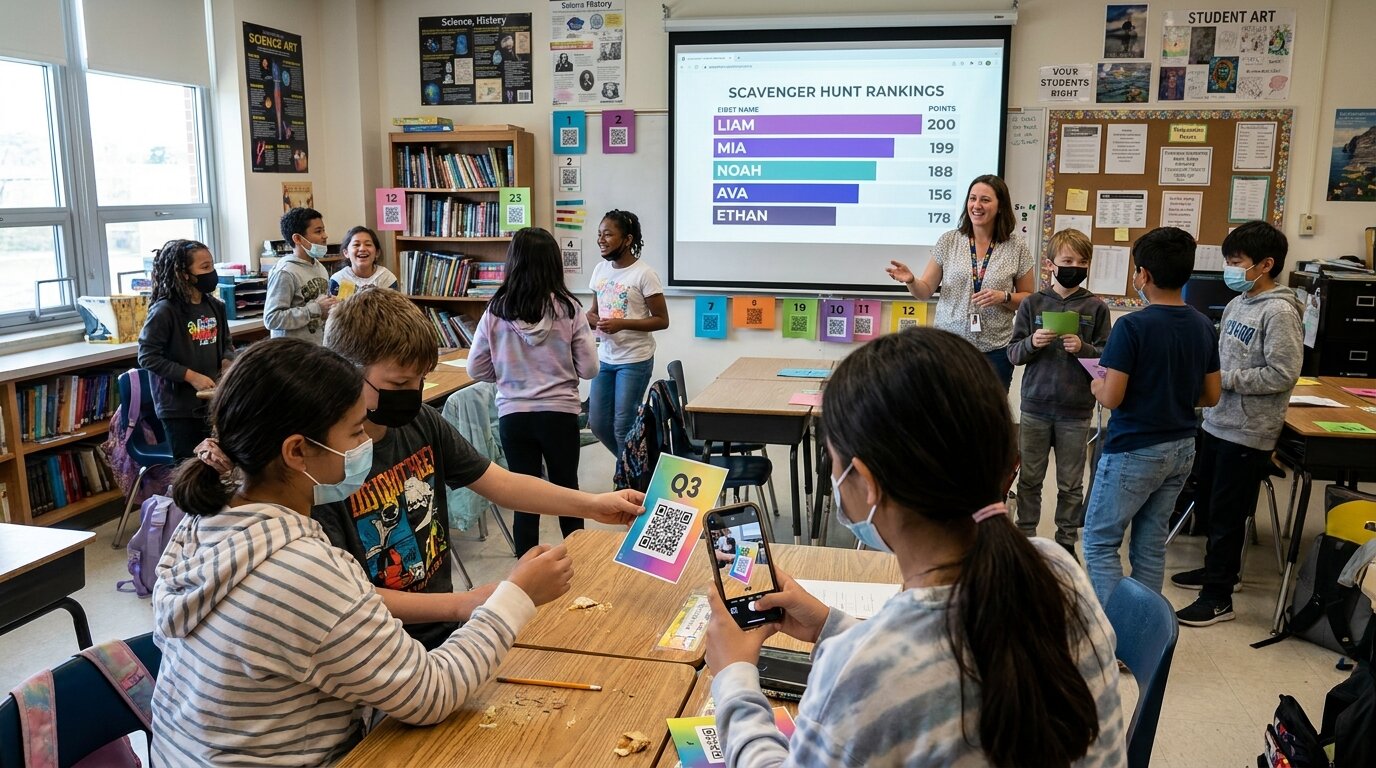
A classroom scavenger hunt gets students out of their seats, turns review into a game, and works for almost any subject or grade. Add QR codes and it becomes self-checking: students scan a code at each station, answer, and watch a live leaderboard update on the projector — no app, no logins, and no stack of papers to grade afterward.
Here's how to run one, plus subject-by-subject ideas you can lift straight into your next lesson.
Why QR codes work so well in the classroom
- Movement and engagement — students rotate between stations instead of sitting through a worksheet.
- Self-paced and self-checking — each code opens a question or task, and the leaderboard does the scoring for you.
- No accounts, no device headaches — students scan with a phone or shared tablet camera and enter a name once. There's nothing to install and no logins to reset.
- Instant feedback and friendly competition — the live leaderboard on the board keeps the energy up and shows who's ahead in real time.
- Works for any subject — if students can read the prompt, you can build a hunt around it.
How to set up a classroom scavenger hunt
- Pick your stations — one per question, topic, or location around the room.
- Create a leaderboard and add a checkpoint for each station.
- Print the QR codes — one per station — and tape them up or hide them.
- Put the leaderboard on your projector or smartboard so the whole class can see the rankings.
- Students scan, enter their name once, and climb the board as they work through the stations.
For the full step-by-step — including a completely free DIY option — see our guide on how to make a QR code scavenger hunt.
Classroom scavenger hunt ideas by subject
Math
Put an equation or word problem at each station and have students solve it to earn the points — a math scavenger hunt beats a worksheet every time. For older students, make each answer the clue to where the next code is hidden.
Science
Run a periodic table scavenger hunt ("find the element that…"), a lab-safety tour, or a body-systems trail. Stations are perfect for science because students can examine equipment or specimens as they go.
Reading and ELA
Vocabulary definitions, story-element stations, figurative-language hunts, or "find the example of…" trails through a text the class is reading.
Library and research skills
A library scavenger hunt is the classic way to teach the catalog, the sections, and how to find a source. Students hunt down call numbers and resources instead of sitting through a tour.
History and geography
Map stations, timeline-ordering challenges, or primary-source clues that send students around the room piecing together an event.
Back-to-school and classroom orientation
On day one, hide codes at the supplies shelf, the turn-in tray, the reading corner, and the class rules. It's a fun, low-stress way for students to learn where everything is.
Test review and end of unit
Turn your review sheet into stations. It's a far more engaging way to revise for a test — especially for teens who have seen one too many review packets.
Tips for running it smoothly
- Group students in pairs or threes — one device per group is plenty, and it keeps everyone involved.
- Stagger the start — let groups begin at different stations to avoid bottlenecks.
- Mix easy and hard stations so every group scores something and the leaders still have to earn it.
- Display a timer and offer a small prize for the top of the leaderboard to sharpen the competition.
- Differentiate with bonus stations that fast finishers can tackle while others catch up.
Make it self-checking with a live leaderboard
The difference between a paper scavenger hunt and a QR one is the leaderboard. Instead of collecting answer sheets, each scan checks a student in and updates a ranking on the projector in real time — no app for students, no accounts, and nothing to grade afterward.
Set up a classroom scavenger hunt and you can be running one this week. And if you want an ongoing points system that lasts beyond a single lesson, see our guide to tracking points in the classroom.
Want more classroom game ideas? Sign up for our newsletter.

Written by Caspar von Wrede
Founder of Leaderboarded. Building tools that help teams track progress and stay motivated.