Definition
A leaderboard is a ranked display that shows participants—people, teams, or entities—ordered by score, performance, or progress. Leaderboards make standings visible at a glance and are used across competitions, workplaces, classrooms, fitness challenges, and gaming.
The concept is simple: assign a score to each participant, sort by that score, and display the result. What makes leaderboards effective is that they turn abstract performance data into a clear, motivating visual ranking that everyone can understand.
Leaderboards can be physical (a whiteboard in an office), digital (a screen on a wall), or online (a shared link anyone can view from any device). This guide focuses primarily on online leaderboards, which have become the most common format because they update in real time and can be shared instantly.
Types of leaderboards
Not all leaderboards work the same way. The right type depends on what you're tracking and how participants earn their rank.
Point-based leaderboards
Participants accumulate points over time. Each action (closing a deal, completing a task, winning a round) adds to a running total. The participant with the most points ranks first. This is the most common leaderboard type.
Examples: sales competitions, classroom behavior points, loyalty programs, gaming XP systems.
Time-based leaderboards
Participants are ranked by how fast they complete something. The shortest time wins. Used wherever speed matters.
Examples: running races, coding challenges, time trials, speedrun competitions.
Multi-column leaderboards
Each participant has multiple score columns tracked in parallel. Useful when a single number doesn't capture the full picture. Rankings can be based on one primary metric or a weighted combination.
Examples: fantasy sports (points, assists, rebounds), sales teams (calls, demos, deals), academic decathlons.
Goal-tracking leaderboards
Instead of ranking against each other, participants are measured against a target. The leaderboard shows how far each person or team has progressed toward a goal. Often visualized with progress bars.
Examples: fundraising campaigns, fitness challenges (10,000 steps/day), quarterly OKR tracking.
Round-based leaderboards (scoresheets)
Scores are recorded per round, game, or session, and the leaderboard shows cumulative totals across all rounds. Each round is a separate column, making it easy to see performance over time.
Examples: golf tournaments, board game nights, trivia competitions, multi-day events.
How leaderboard scoring works
Behind every leaderboard is a scoring system that determines how participants earn their rank. The scoring method you choose shapes participant behavior and the kind of competition the leaderboard creates.
| Scoring method | How it works | Best for |
|---|---|---|
| Additive | Points are added to a running total each time a participant scores | Ongoing competitions, sales tracking, classroom points |
| Highest score | Only the single best score counts | Time trials, high-score challenges, one-shot competitions |
| Multi-metric | Multiple scores tracked per participant, ranked by a primary or composite metric | Fantasy sports, comprehensive performance reviews, multi-event tournaments |
| Percentage / progress | Score represents progress toward a target (e.g., 75% of goal) | Fundraising, fitness goals, OKR tracking |
| Round-based cumulative | Scores recorded per round, ranked by sum across all rounds | Tournaments, trivia nights, multi-day events |
Most online leaderboard tools handle the sorting and ranking automatically. You enter or update scores, and the leaderboard recalculates positions in real time.
Leaderboard use cases
Leaderboards appear in far more contexts than gaming. Anywhere there's a need to rank performance, track progress, or create friendly competition, a leaderboard can help.
Workplace and sales
Sales teams use leaderboards to track deals closed, calls made, or revenue generated. Displaying rankings on an office TV or shared dashboard creates visibility and healthy competition. Many companies run weekly or monthly sales competitions using leaderboards to drive performance.

Education and classrooms
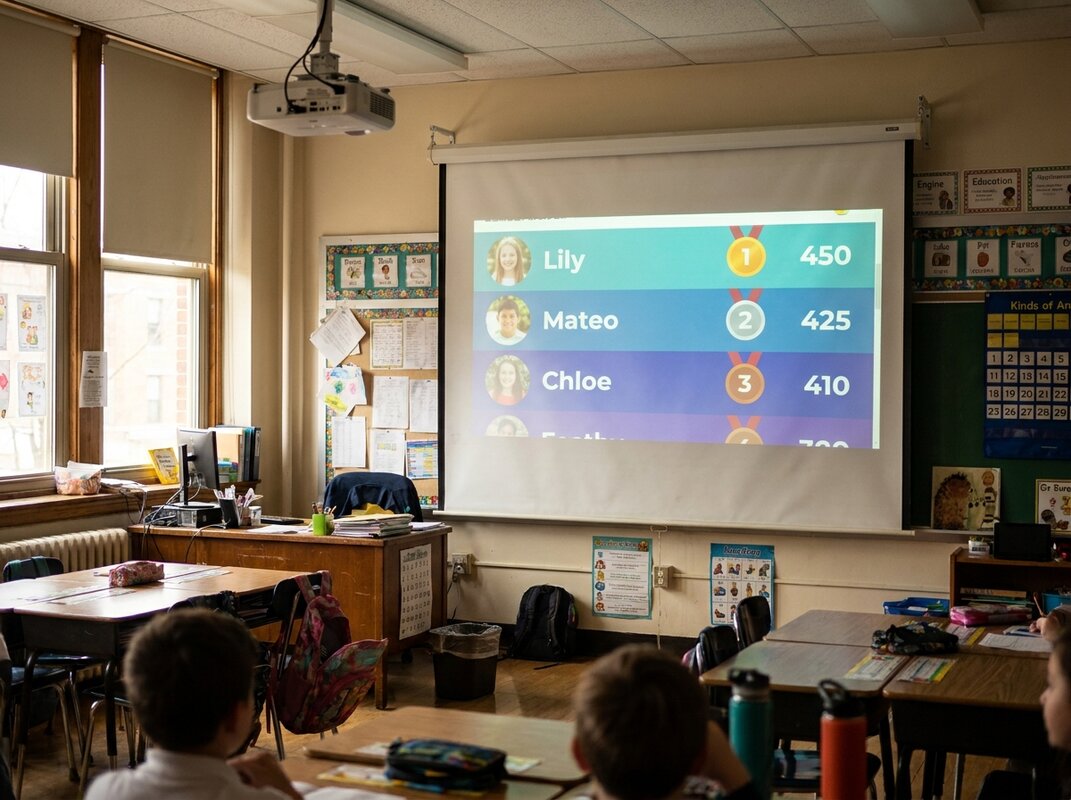
Teachers use leaderboards to award points for homework completion, good behavior, reading challenges, or quiz scores. Classroom leaderboards gamify learning without requiring expensive software—a simple shared link is enough for students to check their standing.
Fitness and wellness challenges
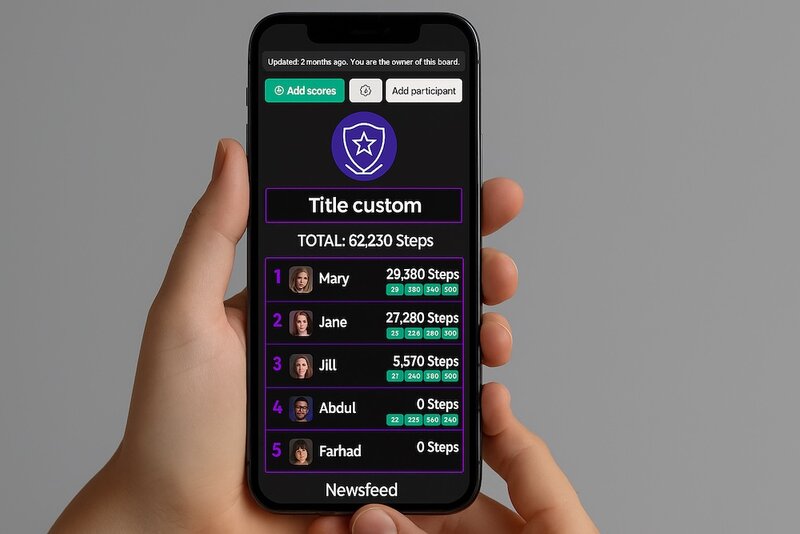
Step challenges, weight loss competitions, and gym challenges all use leaderboards. Participants log their activity, and the leaderboard provides accountability and motivation. Group fitness challenges are especially popular in corporate wellness programs.

Gaming and esports
Leaderboards are native to gaming. They rank players by score, kills, wins, or ELO rating. In esports, tournament leaderboards track standings across matches and seasons. Gaming leaderboards often include time-decay mechanics to keep rankings fresh.
Fundraising
Nonprofit organizations and schools use leaderboards to track fundraising progress. Donor leaderboards show top contributors, team leaderboards show which groups have raised the most, and progress-style leaderboards visualize how close a campaign is to its goal.
Events and competitions
Hackathons, science fairs, trivia nights, and sporting events all rely on leaderboards to show live standings. Event leaderboards typically update in real time so spectators and participants can follow along.
Leaderboard vs. scoreboard
These terms are often used interchangeably, but they serve different purposes.
| Leaderboard | Scoreboard | |
|---|---|---|
| Purpose | Rank multiple participants over time | Show the current score of a single event |
| Time scope | Cumulative (days, weeks, season) | Real-time (current game/match) |
| Participants | Many (5 to 500+) | Usually 2 (home vs. away) |
| Typical use | Competitions, challenges, tracking | Live sports, game nights |
Some tools (like KeepTheScore) focus on real-time scoreboards for individual games. Others (like Leaderboarded) specialize in leaderboards that track cumulative performance across many participants.
What makes a good leaderboard
An effective leaderboard isn't just a sorted list of names and numbers. The best leaderboards share a few key traits:
- Clear scoring rules. Participants should understand exactly how points are earned and rankings are calculated. Ambiguous scoring undermines trust.
- Real-time updates. Stale data kills motivation. The leaderboard should reflect the latest scores without manual refreshing.
- Accessible to everyone. All participants should be able to view the leaderboard easily—via a shared link, a TV display, or an embedded widget on a website.
- Visual clarity. Rankings, scores, and changes should be scannable at a glance. Color coding, position indicators, and clean typography help.
- Right-sized competition. A leaderboard with 3 people feels sparse; one with 1,000 can feel impersonal. The best leaderboards match the scope to the group.
How to create an online leaderboard with Leaderboarded
You don't need to build a leaderboard from scratch. Leaderboarded is an online leaderboard maker that lets you create, customize, and share a leaderboard in minutes—no coding, no formulas, and a free plan that covers most use cases. Here's the full process.
Step 1: Choose your leaderboard type
Start at leaderboarded.com/choose and pick the type that matches what you're tracking: a classic point-based leaderboard, a multi-column leaderboard with several columns per participant, a round-based scoresheet for tournaments, or a goal tracker for fundraising and progress-style campaigns.
Step 2: Add participants
Enter participant names manually, paste a list from a spreadsheet, or import a CSV file. Leaderboarded supports up to 25 participants on the free plan.
Step 3: Enter or connect scores
Update scores through the web admin interface, sync directly from Google Sheets, or push scores programmatically via the REST API. Rankings recalculate automatically every time a score changes—viewers see the updated leaderboard in real time without refreshing.
Step 4: Customize the appearance
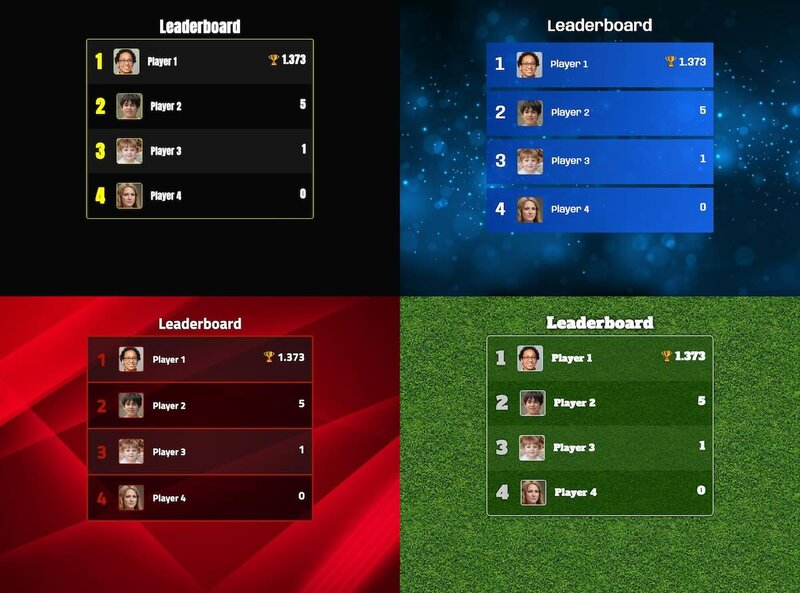
Apply one of several built-in themes, change colors, upload your logo, and choose which columns are visible. Paid plans unlock full custom branding so the leaderboard matches your organization's visual identity.
Step 5: Share your leaderboard
Every Leaderboarded leaderboard has a shareable public URL. Send the link to participants, embed the leaderboard on your website, display it full-screen on a TV or projector, or add it to an OBS live stream as a browser source. Anyone with the link can view the leaderboard—only admins with the admin link can edit scores.
For a detailed look at how Leaderboarded compares to other tools, see our online leaderboard maker guide.
Live ranking examples
Leaderboards aren’t just for sales teams and classrooms. These public rankings are built with Leaderboarded and refresh automatically every week as the underlying data changes — a live look at what an always-up-to-date leaderboard looks like:
- Top True Crime Podcasts — the most popular true-crime shows, re-ranked every week.
- Top Sports Podcasts — live standings for the biggest sports podcasts.
- Top Tech Podcasts — the leading technology shows by popularity.
- Top Comedy Podcasts — the funniest podcasts, updated weekly.
- Top Rust Crates — the most-starred Rust crates on GitHub.
- Top React UI Libraries — React component libraries ranked by GitHub stars.
Create a leaderboard now
Leaderboarded lets you create a free online leaderboard in under a minute. Free plan includes up to 25 participants.
Frequently asked questions
"What is a leaderboard?"
A leaderboard is a ranked display that shows participants ordered by score, performance, or progress. Leaderboards are used in competitions, workplaces, classrooms, fitness challenges, and gaming to track standings and motivate participants.
"What are the different types of leaderboards?"
The main types are: point-based leaderboards (ranked by cumulative score), time-based leaderboards (ranked by fastest completion), multi-column leaderboards (tracking multiple metrics per participant), and goal-tracking leaderboards (showing progress toward a target). Each type suits different use cases.
"How does scoring work on a leaderboard?"
Leaderboard scoring depends on the type: additive scoring accumulates points over time, highest-score ranking uses a single best result, multi-metric scoring tracks several values per participant, and time-based scoring ranks by speed or duration. Most online leaderboard tools handle ranking automatically when scores are updated.
"What is the difference between a leaderboard and a scoreboard?"
A scoreboard shows the current score of an ongoing event (like a basketball game), while a leaderboard ranks multiple participants by cumulative performance over time. Scoreboards are real-time displays for a single match; leaderboards track standings across rounds, days, or an entire season.
"How do I create an online leaderboard?"
You can create an online leaderboard using a dedicated tool like Leaderboarded. Add participants, choose your scoring method, and share the leaderboard via a link or embed it on your website. No coding or spreadsheet formulas required.