How to Make a Tier List (Free, No Sign-Up)
Turn any list into a shareable S-to-F ranking in about a minute. No account, no download — just drag, drop, and send the link.
Article Contents
You've got a list of things and a strong opinion about which one's best. Maybe it's fighting-game characters, maybe it's pizza toppings, maybe it's the people on your team's group chat. A tier list is how you turn that opinion into something other people can see — and argue with.
Here's how to make one in about a minute, with no account and no software to install.
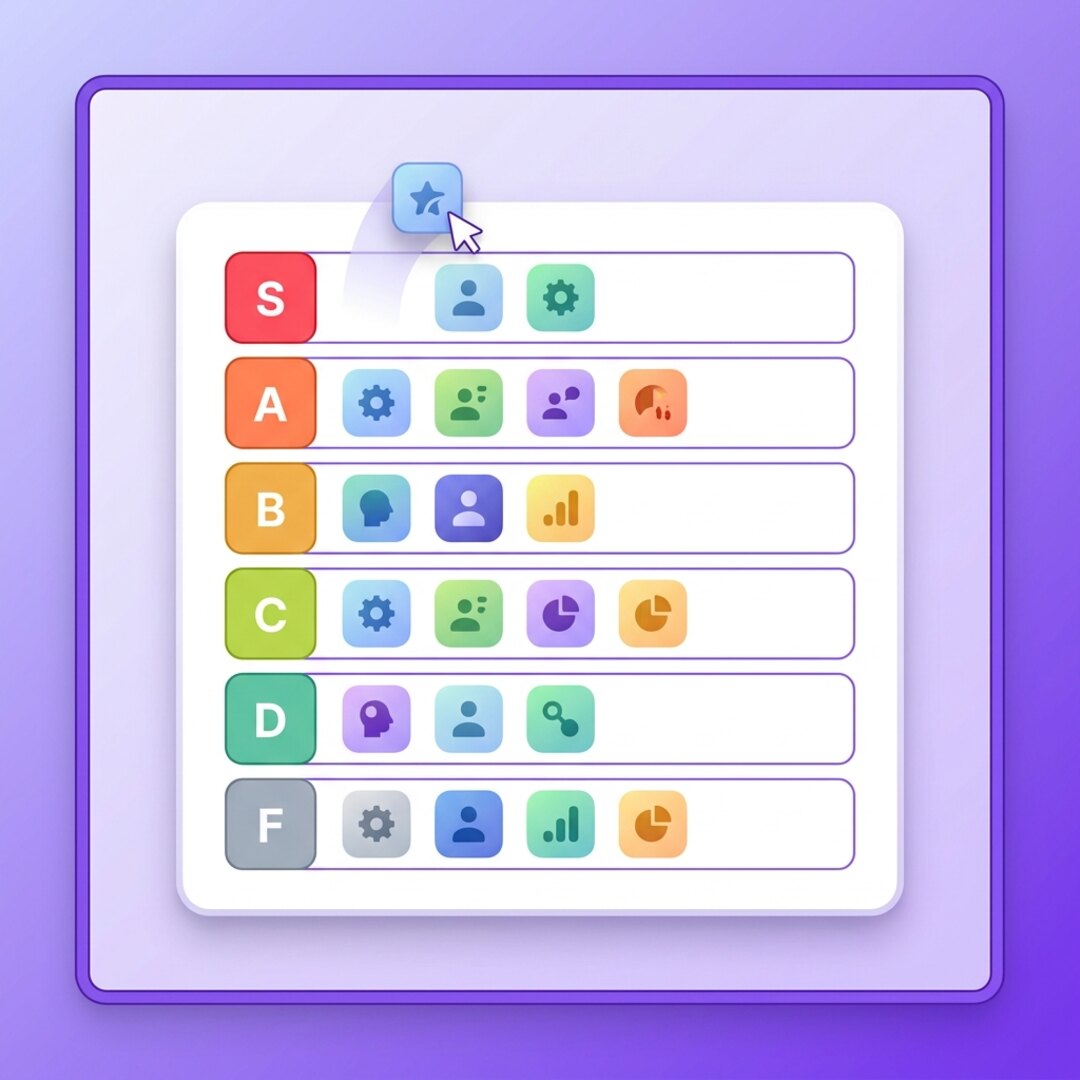 A tier list built with the Leaderboarded tier list maker
What a Tier List Actually Is
If you already know, skip to the next section. If you don't: a tier list ranks things into labelled rows instead of one long numbered list. The top row is S (better than A — the convention came out of Japanese fighting-game communities, where "S" meant "superior"). Below it run A, B, C, D and usually F at the bottom.
The point isn't precision. It's grouping. Three characters can all be "S tier" without you having to decide which of the three is technically number one. That's what makes a tier list less painful to build than a strict 1-to-50 ranking — and more fun to read. (Wikipedia has the longer history if you want it.)
The Fastest Way: Drag and Drop in the Browser
Open the tier list maker, and you get six empty rows (S through F) and a tray of items waiting to be sorted. You drag each item up into the row you think it belongs in. That's the whole mechanic.
No login screen sits between you and the editor. You build the list first; you only make an account if you want to save it and come back later. For a one-shot "settle this once and for all" list, you may never need one.
Three things to do once the editor's open:
- Get your items in. Type them one at a time, or paste a whole list (one name per line) and the editor turns each line into a tile. Add an image or an emoji to a tile if you want it to look like a real tier list instead of a wall of text.
- Drag them into tiers. Top row for the best, bottom for the worst, and the messy middle for everything you can't decide on. Reorder within a row too — left is better than right.
- Share it. Every list gets its own link. Send it, drop it in a Discord, or embed it on a page. Anyone who opens it sees your ranking, no account required on their end either.
For the finer points — recolouring rows, renaming tiers, swapping images — the customization guide covers it. You won't need any of that to publish your first one.
Don't Make These Tier-List Mistakes
I've seen a lot of tier lists. The bad ones share a few habits.
Too many tiers. Six rows is already generous. If you add an S+ and an SS and an A- you've just rebuilt the numbered list you were trying to avoid. Three to six tiers is the sweet spot.
Everything in the top two rows. A tier list where nothing is bad isn't a ranking, it's a list of things you like. The D and F rows are where the opinions live. Use them.
No images. A tier list of plain text labels is readable but forgettable. The ones that get shared have logos, character art, album covers, faces. Drop images on the tiles — it's the difference between "a spreadsheet" and "a thing people screenshot."
The one real limitation worth knowing: there's no automatic "correct" ranking. Nothing pulls win-rates or review scores in for you. You place every item by hand, on purpose. That's a feature for an opinion piece and a chore for a 200-item list — so keep your lists tight.
What Each Tier Usually Means
There's no law here, but most people read the rows like this:
- S — the best, no argument. The ones you'd defend to a stranger.
- A — excellent. Would happily recommend.
- B — good. Solid, unremarkable.
- C — average. Fine. Takes up space.
- D — below average. You'd skip it.
- F — bad. Actively avoid.
Rename them if your topic wants different labels — "Goated / Mid / Trash" works just as well, and the editor lets you change both the text and the row colour.
When You'd Use a Different Tool
If you want a giant library of pre-made templates for one specific game or fandom, the big incumbent (TierMaker) has more of those than anyone. If you want it to double as a polished graphic for a deck, a design tool like Canva will get you there. I compared the main options — and where each one's free tier actually ends — in best free tier list makers compared.
The reason to start with Leaderboarded: no account to make one, no watermark-stripping upsell before you can share, and the same link works on a phone, a laptop, or embedded on a page.
Stuck on What to Rank?
The blank-tier-list problem is real. If you opened the editor and your mind went empty, these 50+ tier list ideas will fix that — or just start with the one everyone has an opinion on, the fast food tier list.
And if what you actually want isn't a one-shot ranking but a running scoreboard that updates over a season, that's a different kind of ranking — and also something we build.

Written by Caspar von Wrede
Founder of Leaderboarded. Building tools that help teams track progress and stay motivated.