Reading Challenge Leaderboard for Schools, Libraries, and Classrooms
Set up a reading challenge leaderboard for a classroom, library, or school-wide reading program. Metric choices, motivation tips, and step-by-step setup.
Article Contents
A reading challenge works better when participants can see their progress. Not because competition is the point — but because visibility creates accountability, and accountability creates follow-through.
This applies whether you're running a classroom reading challenge, a summer library program, or a school-wide reading campaign. The setup is the same; what changes is the metric and how you handle motivation.
Choosing What to Track
The metric you pick shapes the behaviour you get.
Books read is the simplest. Every book counts as one point regardless of length. The problem: participants gravitate toward shorter books. A student who reads ten 60-page books beats one who reads two 400-page novels, which doesn't feel right.
Pages read solves the length problem. It's slightly more work — participants report page counts rather than just titles — but it rewards sustained reading more fairly.
Minutes read works well for younger readers who can't reliably count pages. Parents track reading time at home and report it to the organiser. Good for primary classrooms where the goal is building the habit, not measuring volume.
Points by difficulty tier is the most nuanced: picture books worth 1 point, chapter books 3 points, young adult novels 5 points. This rewards challenge without penalising slower readers. The tradeoff is that you need to pre-classify books, or trust participants to self-report.
Pick one metric and stick with it for the full program. Switching mid-competition feels unfair and creates tracking headaches.
Setting Up the Leaderboard

For a competition-style reading challenge, a leaderboard ranks each participant by their score and re-ranks automatically as you update totals.
Create one participant per student, reader, or team. Update scores when participants log progress — either after each session or on a weekly basis. The leaderboard URL can be displayed on a classroom screen, shared with parents, or posted in a library newsletter.
For programs with a collective goal rather than individual competition — "our class will read 500 books this year" — a goal tracker is a better fit. It shows cumulative progress toward a target rather than individual rankings, which works well when you want to encourage participation without head-to-head comparison.
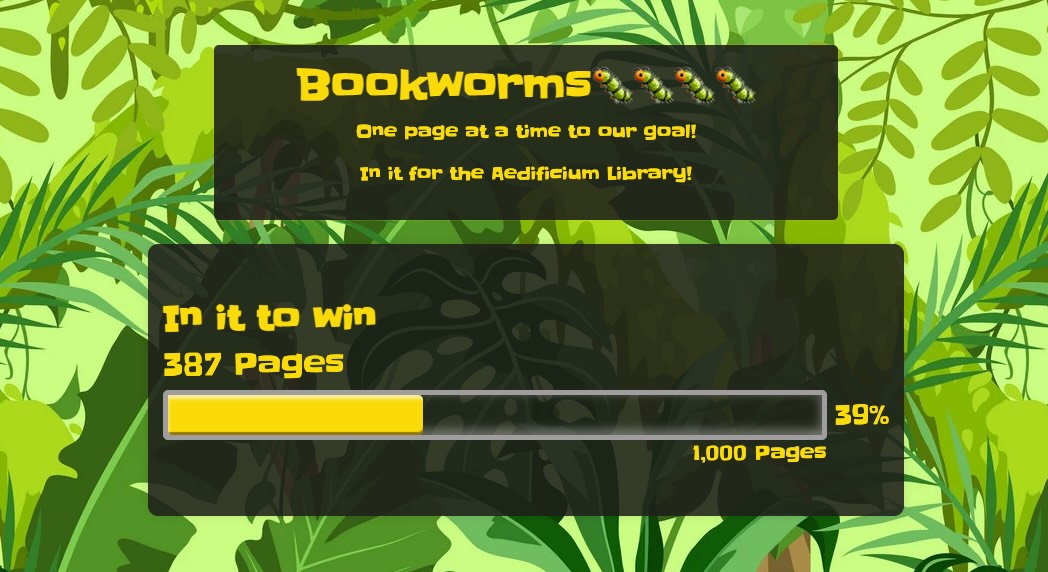 A goal tracker showing class-wide reading progress.
Keeping It Motivating
The biggest risk with reading leaderboards is discouraging slower readers. A student stuck at 4 books while classmates hit 15 will disengage — which defeats the purpose.
A few approaches that help:
- Set personal goals alongside class rankings. Students who meet their own target feel success even if they're not at the top of the leaderboard.
- Run shorter sprints. A two-week "summer reading sprint" resets the competition often enough that more participants get to lead at some point.
- Recognise milestones, not just winners. The first student to 10 books, the student who read the longest book, the most improved reader — spread the recognition beyond first place.
- Mix formats. A reading bingo card alongside the leaderboard rewards variety (read outdoors, read a book in a different genre) rather than pure volume.
School-Wide and Library Programs
For multi-classroom challenges, create one leaderboard per class and a separate combined leaderboard for the overall school standings. This keeps class-level competition tight while still showing the full picture.
Public library summer programs often run team or age-group divisions rather than individual rankings. Create a separate leaderboard per division so younger readers aren't competing directly against older ones — they stay in the running and stay engaged through the full program.

Written by Caspar von Wrede
Founder of Leaderboarded. Building tools that help teams track progress and stay motivated.