Coding Competition Leaderboard
Track coding competition results with leaderboard software. Covers competitive programming, multi-challenge scoring, and company coding days.
Article Contents
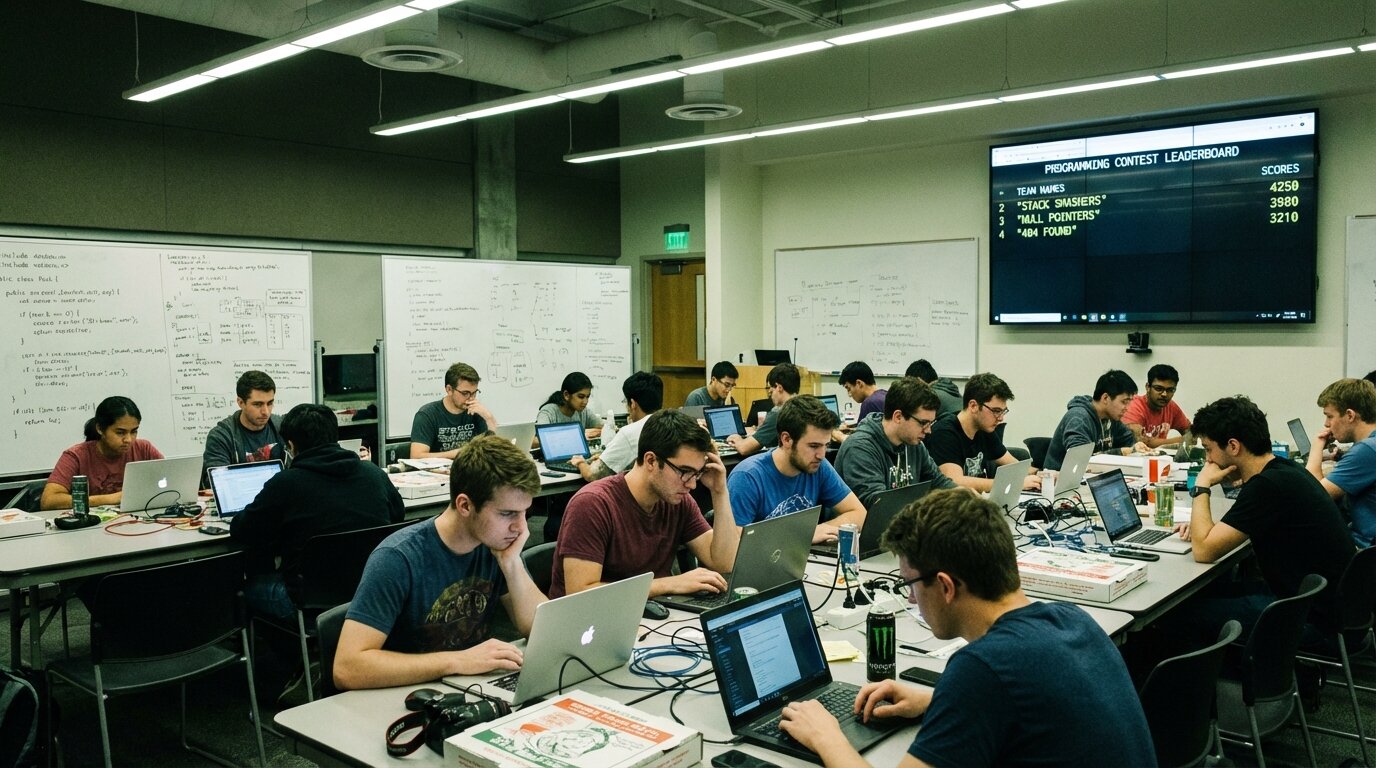
Running a coding competition without a live leaderboard is like holding a race without a finish line clock. Participants know they're competing, but have no idea where they actually stand — until you read out results at the end, by which point the energy has already gone flat.
A live leaderboard keeps the competitive tension running across the whole event. Here's how to set one up for competitive programming contests and company coding challenges.
What Makes a Coding Contest Leaderboard Different
Coding competitions score across multiple dimensions — not just "who finished first." A competitive programming contest might track problems solved, time taken, and penalty points for failed attempts. A company coding day might score on correctness, speed, and code quality across several challenges.
That's the core difference from a simple ranking: you need columns, not just a single score. The leaderboard has to show what went into the total, not just the total itself.
Standings also shift continuously. As teams solve new problems or optimise their solutions, scores update mid-event. The leaderboard needs to reflect that in real time.
Setting Up Your Contest Leaderboard
The multi-column leaderboard is designed exactly for this format — each challenge or scoring dimension gets its own column, and totals aggregate automatically as you enter results.
Add each team or participant, configure a column for each challenge or scoring category, and share the link. For a five-challenge contest, add five columns. Totals recalculate instantly when any score changes — no spreadsheet formulas to maintain, no manual recalculation mid-event.
The customization guide covers column configuration and display options in detail.
Scoring Models for Competitive Programming
Points + Time (ICPC-Style)
Problems are worth set point values. Teams score points for each problem solved, with time penalties for failed submission attempts. Time to first correct solution can serve as a tiebreaker when teams have equal points.
Track this with separate columns: one for points earned, one for penalty count. Sort by points descending, then penalty ascending. This rewards both problem-solving breadth and submission efficiency — teams that guess-and-submit recklessly are naturally penalized.
Multi-Challenge Coding Events
Company coding days and university contests often run across several independent challenges with different point values. Each challenge gets its own column. Totals roll up automatically, and you can see at a glance who leads on which challenge — useful for awards like "best solution to Challenge 3" alongside the overall winner.
Hackathon Scoring
If you're running a hackathon with rubric-based judging across criteria like functionality, innovation, and presentation, see the hackathon leaderboard guide — it covers the judging workflow, multi-judge scoring setup, and venue display in detail.
Team vs. Individual Tracking
Most coding contests run teams rather than individuals. Set up each team as a single entry in the leaderboard. A leaderboard with 30 individual developers is harder to scan than one with 10 teams — keep the display focused on what matters during the event.
For contests with both individual and team tracks running simultaneously, create separate leaderboards. Mixing formats into a single ranking creates confusion and unfair comparisons.
If you want to recognise individual contributors within a team, a secondary leaderboard works well for individual awards like "most problems solved" or "fastest correct submission."
Displaying During the Event
Visibility is the point. A leaderboard running on a screen in the corner that nobody looks at does nothing.

Put it where participants naturally look: the main projection screen during breaks, a dedicated TV near the coffee, embedded in your Slack workspace or Discord server. Scores update live as results are entered. When a team's rank changes, the leaderboard re-sorts immediately — that moment of watching your team jump two places is exactly the kind of drama that keeps energy up across a long event.
For online contests, a shared link dropped into your event's communication channel recreates the ambient awareness of an in-person event. Participants can check standings on their own schedule without a coordinator sending manual updates.
For on-site display customization, the TV leaderboard guide covers options for limiting visible rows and adjusting the display for presentation mode.

Written by Caspar von Wrede
Founder of Leaderboarded. Building tools that help teams track progress and stay motivated.