Stage Timer for Speakers and AV Teams
Build a confidence monitor and speaker stage timer from a laptop and a link — big countdown facing the stage, controlled from the AV desk, synced to the second.
Article Contents
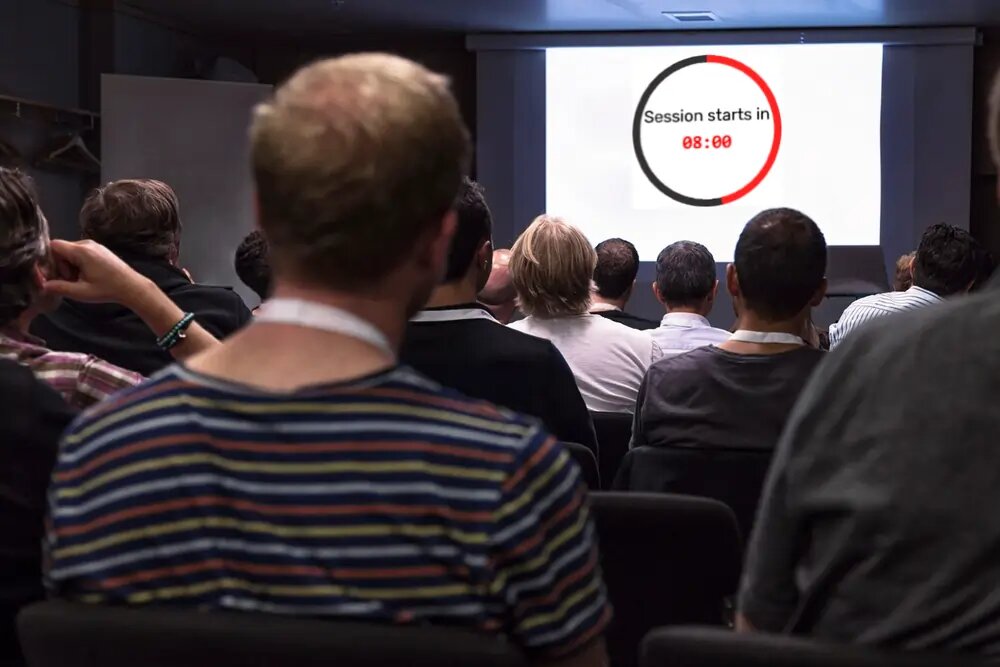
At a well-run show there's a screen the audience never sees: a confidence monitor at the lip of the stage, facing back at the speaker. On it, usually, is a clock. When the number turns red, the speaker wraps. No card waved from the wings, no producer mouthing "TIME" from stage left.
You can build that screen for free. It's a laptop, a link, and one person at the AV desk.
 Dark background, light digits, a ring draining to zero. Readable from the back of a 500-seat room.
The desk runs it, the stage sees it
Set a screen at the foot of the stage — a tablet, a monitor on a short stand, whatever's in the kit — and open the timer's display link on it, facing the speaker. Open the same link on a monitor at the AV desk. Now both of you are looking at one countdown.
From the desk, you hold the controls on your own device. Start it on the speaker's first word, not the cue in the rundown. Add two minutes when the room is with them. Hit a hard stop for the lightning round. The stage monitor follows instantly — no comms call to the booth, no scramble for the clicker.
This is the part that separates it from a kitchen timer or the clock on someone's laptop: the desk and the stage never disagree about the time, because there's exactly one clock and it's synced to the second.
Where the stage timer earns its keep
- Lightning talks and demo days — the strictest formats benefit most. Five minutes, a buzzer, an end message like "Time! Next up 👏". Put the countdown on the main screen too, facing the audience, and the cut-off becomes a shared game instead of an execution.
- Panels and Q&A — give the whole block a budget on the screen. Audiences ask shorter questions when they can watch the time draining.
- Multi-speaker keynotes — each presenter gets their slot; the green-room screen on the same link shows the next speaker exactly how long until they're on.
- Awards and ceremonies — a quiet countdown keeps acceptance speeches from swallowing the run of show.
The discipline is older than the gear. Toastmasters has run green/amber/red speech timing for a century, and TED caps talks at 18 minutes on purpose. A visible stage timer is just that convention, automated and shared.
Set it for the room
A few production details matter more on a stage than at a desk. Turn the buzzer off for a keynote and let the end message do the talking — a klaxon over a heartfelt close is a bad look. Pick a display format that shows 12:40, not 0:12:40.0. And set a dark background with light digits so the monitor doesn't blind a speaker in a dimmed auditorium.
One honest limitation, the same as any confidence monitor: it shows the time, it doesn't show the slides. It's a separate screen on purpose. If you want the speaker's deck mirrored too, that's a second output — keep the timer doing the one job it does perfectly.
This is the production cut of the presentation timer, which covers the moderator-and-speaker basics. For the full event — sessions, breaks, hold screens — see the event timer, and if the screens carry sponsor branding, our custom event scoreboards build it into the AV pack.

Written by Caspar von Wrede
Founder of Leaderboarded. Building tools that help teams track progress and stay motivated.