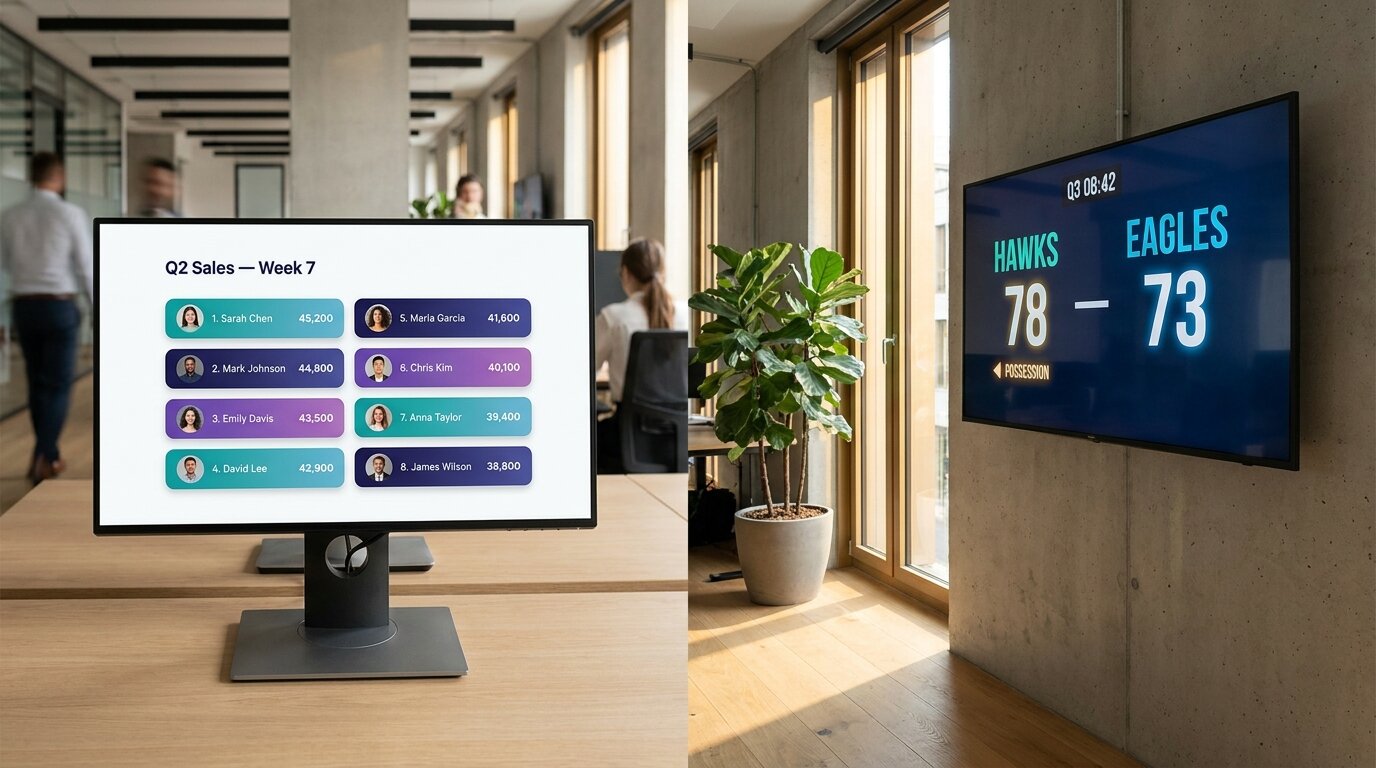
The terms get used interchangeably all the time. They're not interchangeable. A leaderboard and a scoreboard solve different problems, and using the wrong one means the tool fights what you're trying to show.
The quick version sits in the definition box below. The rest of this page covers the long version — what each one is, when to use which, and how to create either one online without writing code.
The short answer
A leaderboard ranks many participants by cumulative score, performance, or progress over a period of time — a sales month, a school term, a fitness challenge, a tournament. A scoreboard shows the live score of one event, usually between two teams or players — a basketball game, a tennis match, a board-game session. Leaderboards are about standings over time; scoreboards are about a single moment of competition.
If you're picking between the two and you only read this far: ask whether you're ranking many things over time (leaderboard) or showing the current state of one thing (scoreboard). That's the whole distinction.
What is a leaderboard?
A leaderboard is a ranked display that shows participants — people, teams, or entities — ordered by score, performance, or progress over a period of time.
Leaderboards rank. You enter a score for each participant, the leaderboard sorts them, and the result is a list where position 1 is at the top. Participants can be anywhere from three people (a small classroom group) to hundreds (a regional sales org or a marathon results table).
Most leaderboards are cumulative: numbers add up over a week, a month, a quarter, a season. The leaderboard's job is to make those running totals visible and motivating. It updates as scores change, so participants always know where they stand.
See the full guide to what a leaderboard is for types, scoring methods, and use cases in depth.
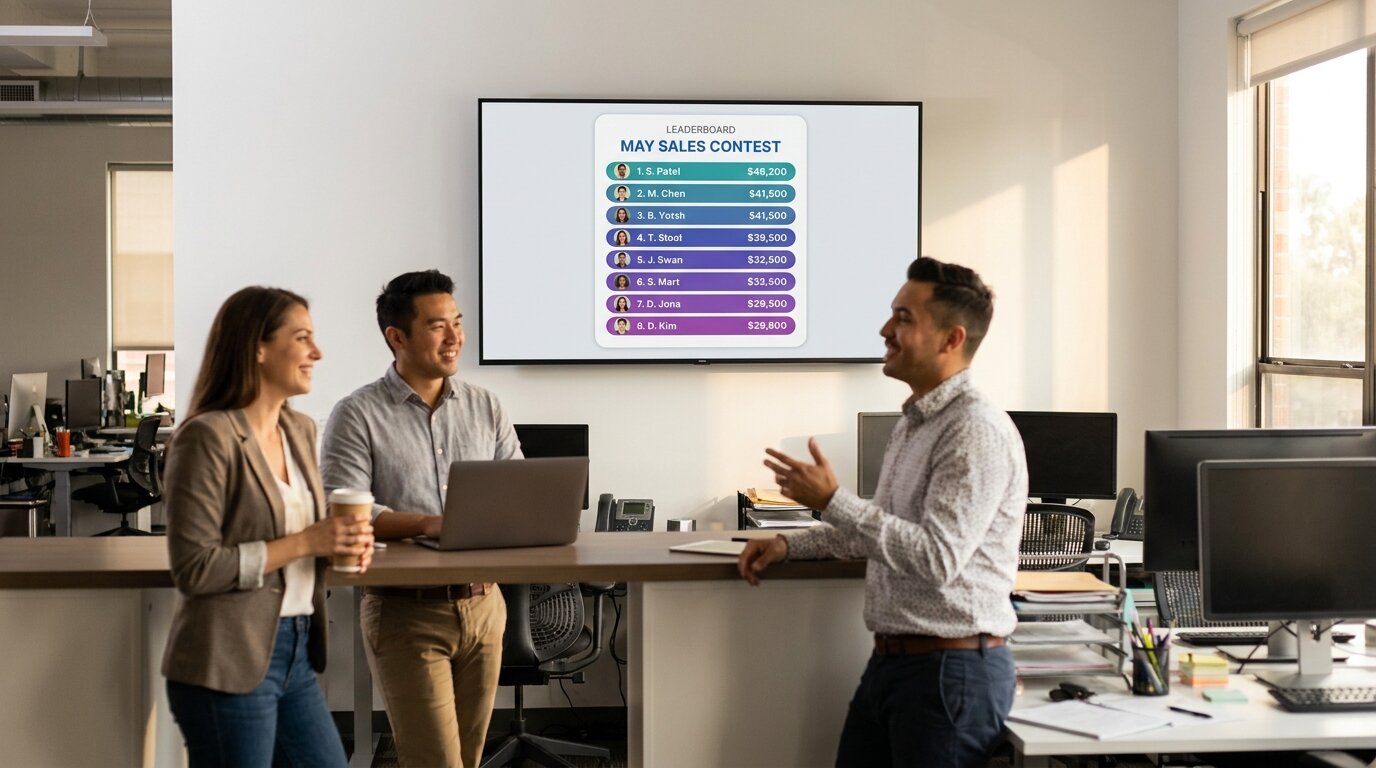
The image above is a typical leaderboard use case: a sales team's monthly contest, displayed on the office TV. Eight reps, cumulative dollar totals, ranked by total revenue. The numbers keep moving for the whole month — the leaderboard's job is to keep that motion visible.
What is a scoreboard?
A scoreboard is a real-time display showing the current score of a single ongoing event — usually two teams or players competing in one game or match.
Scoreboards report. They show the live state of one competition: home team score, away team score, the clock, the period or set, possession arrows, fouls. They're a snapshot of a single moment, not a ranking of many participants.
A scoreboard's lifespan is the lifespan of one game. When the game ends, the scoreboard's job is done. The numbers it produced may feed into a leaderboard (the league standings) but the scoreboard itself isn't ranking anything — it's just showing what's happening, right now.
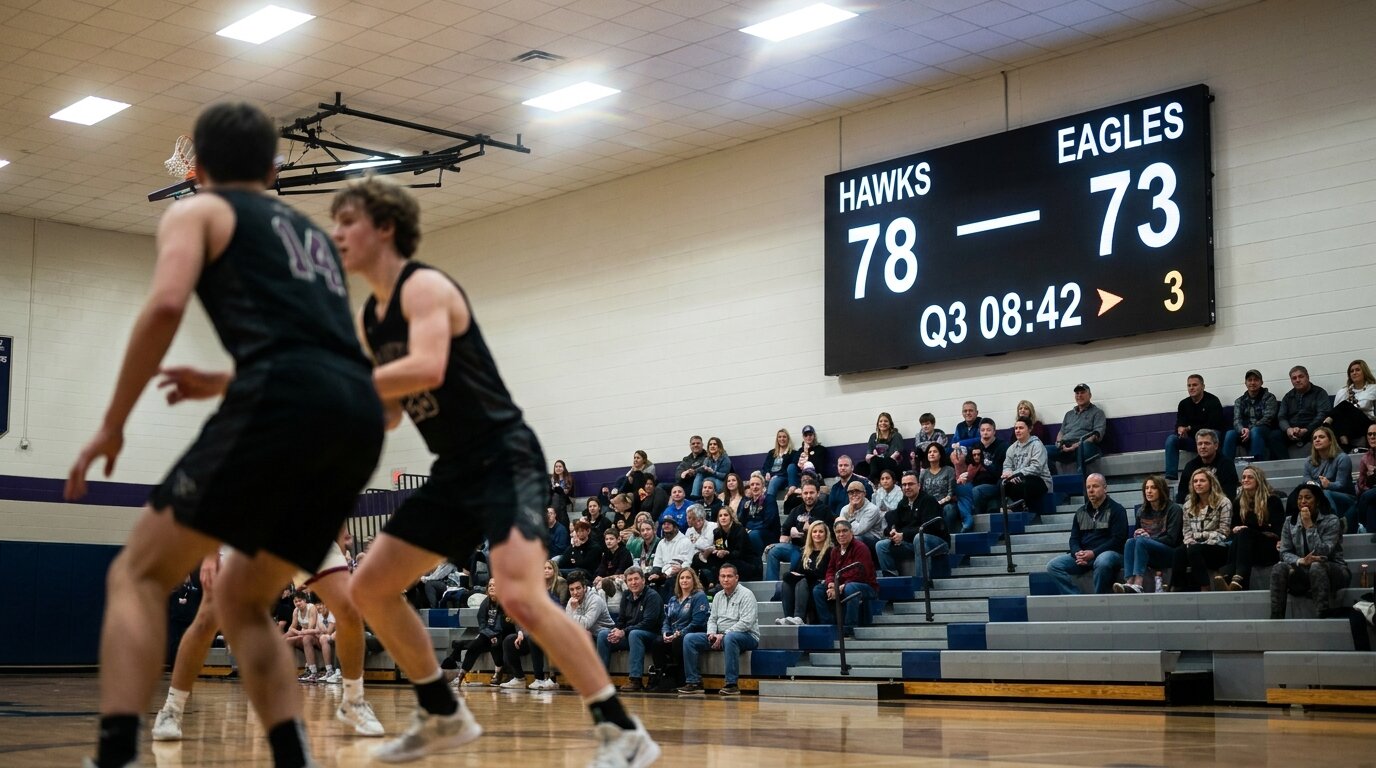
The image above is a typical scoreboard use case: a high-school basketball game with a wall-mounted LED scoreboard. Two teams, the live score, the period and clock. The display has no use a week from now — it exists to show the current state of this game.
The core differences
The table below sums up the practical differences. The two formats look superficially similar because both display scores, but the underlying design decisions point in different directions.
| Leaderboard | Scoreboard | |
|---|---|---|
| Purpose | Rank many participants by accumulated score | Show the live score of one event |
| Time scope | Cumulative — days, weeks, months, a season | Real-time — the duration of one game |
| Number of participants | Many (typically 5–500) | Usually two (home vs. away) |
| What changes | Each participant's running total | The live state of one game (score, clock, period) |
| Display lifespan | Weeks or months, sometimes ongoing | The length of one game |
| Typical display | List of names sorted by score, often with rank numbers | Two large team names side-by-side with current score |
| Update mechanism | Score entered by admin, scorekeeper, sheet sync, or API | Score entered manually during the live game |
| Typical use | Sales contests, classrooms, fundraising, season standings | Live sports games, board-game sessions, streamed matches |
| Embedded sport-specific rules | No — generic scoring | Often yes — basketball quarters, tennis sets, soccer halves |
When to use a leaderboard
Reach for a leaderboard when the job is "make these standings visible" across many participants over time.
Sales contests and team performance
A monthly sales contest. A quarterly KPI race. SDR call counts. AE deals closed. Anything where you've got several reps generating numbers over a period and you want everyone to see where they stand. See the sales leaderboard page for the full use case.
Classroom points and house systems
House points across an academic year, behaviour points across a term, reading challenges, weekly quiz scores. These run over weeks or months, with many students — exactly the shape of a leaderboard. See the classroom leaderboard page.
Fundraising progress
Donor leaderboards ranking top contributors, team-vs-team campaigns showing which group has raised the most, or progress-style goal trackers showing how close a campaign is to its target. A fundraising thermometer is technically a leaderboard format too — it's just one row instead of many.
Fitness and wellness challenges
Step challenges, weight-loss competitions, gym challenges. Participants log activity, the leaderboard ranks them. Most workplace wellness programs run as multi-week leaderboards. See workplace wellness leaderboards.
Tournament standings (across matches, not within one)
A round-robin tournament where multiple teams play multiple games — the leaderboard tracks cumulative wins, points, or set differential across the whole bracket. The individual matches inside the tournament are scoreboard work; the standings across them are leaderboard work.
Events and competitions with cumulative scoring
Hackathons judged across categories, trivia nights with multiple rounds, multi-day science fairs. Anywhere the final result is a ranking across many participants based on accumulated scores.
When to use a scoreboard
Reach for a scoreboard when the job is "show the current state of one game".
Live sports games
The classic case. Basketball, soccer, hockey, tennis, volleyball, baseball, badminton — a scoreboard shows the live score, period or set, clock, and sport-specific state. Sport-specific scoreboards know the rules: basketball runs in quarters, tennis in sets and games, hockey in periods. See KeepTheScore's basketball scoreboard, soccer scoreboard, hockey scoreboard, and tennis scoreboard — they're dedicated tools that handle the specific rules each sport needs.
Streamed matches and esports
Twitch and YouTube broadcasts of competitive matches use scoreboards as on-screen overlays. The scoreboard tracks the live game state while the stream rolls. The tournament-level standings are a separate leaderboard.
Trivia night and pub quizzes (during the round)
While a round is being played, a scoresheet-style scoreboard shows each team's running score for that round. After several rounds, the cumulative total across rounds becomes a leaderboard. Many trivia tools (including Leaderboarded's scoresheet board format) blur this line on purpose.
Board game sessions
A multi-round board game (Catan, Scrabble, dominoes) is single-event scoring — one session, two-to-six players, one outcome. That's scoreboard work. If you're running a season-long board-game league across many sessions, the standings table across all sessions becomes a leaderboard.
Single-event competitions with two sides
Debate matches, dance-offs, two-team trivia battles. A scoreboard fits when there are two competing sides and one outcome.
Can the same tool do both?
Sometimes. The honest answer is that the two formats are different enough that purpose-built tools serve each one better — but several tools blur the line on purpose.
Leaderboarded covers leaderboards and round-based scoresheet boards. A scoresheet board acts like a multi-participant scoreboard — each round is a column, players or teams sit in rows, and totals roll across the bottom. Good fit for golf scorecards, multi-round trivia, board-game scoring, bowling. Not designed for live-sport state (no game clock, no possession arrows, no quarter/period rules).
KeepTheScore specialises in real-time sport scoreboards. Sport-specific scoring rules built in — basketball quarters, tennis sets and games, soccer halves, hockey periods. Dedicated overlays for OBS streamers. Not designed for multi-week sales contests or fundraising thermometers.
The honest take: if your job is mainly a leaderboard with a few scoresheet-style boards on the side, Leaderboarded covers both. If your job is mainly a live sport scoreboard, KeepTheScore is the dedicated tool. They're sister products built by the same team for exactly this reason.
Full disclosure: Leaderboarded and KeepTheScore are both ours. We split them on purpose — one tool tried to do both for years and we kept noticing that sport scoreboards and business leaderboards want different defaults, different visual language, different sharing patterns. So Leaderboarded handles leaderboards (and scoresheets) for business, classroom, and event use cases; KeepTheScore handles live sport scoreboards. You can use whichever one fits the job, or both for a multi-stage event.
How to create a leaderboard online — with Leaderboarded
Leaderboarded is an online leaderboard maker built for ranking many participants over time. Free tier covers most use cases, paid plans start at $19/month. Here's the full process.
Step 1: Pick the board format
Start at leaderboarded.com/choose and pick the type that matches what you're tracking: a classic point-based leaderboard, a multi-column board with several columns per participant, a round-based scoresheet for tournaments, or a goal tracker for fundraising and progress campaigns.
Step 2: Add participants
Enter names manually, paste a list from a spreadsheet, or import a CSV. Leaderboarded supports up to 25 participants on the free plan and up to 1000 on Pro.
Step 3: Enter or sync scores
Update scores from the admin interface, sync from a Google Sheet, or push scores programmatically via the REST API. Rankings recalculate automatically and viewers see updates in real time without refreshing.
Step 4: Share the board
Every Leaderboarded board has a public presentation link. Send the link to participants, embed the board on your website, display it full-screen on an office TV, or use a scorekeeper link to let someone enter scores without admin access.
How to create a scoreboard online — with KeepTheScore
KeepTheScore is a real-time scoreboard maker built for live sport games. Sport-specific scoring rules and an OBS streaming overlay are included. Free for most use cases.
Step 1: Pick the sport
Pick the sport-specific scoreboard you need — basketball, soccer, hockey, tennis, baseball, volleyball, badminton, and more. Each one has the correct period structure, clock, and scoring rules built in.
Step 2: Set up the match
Name the home and away teams. Optionally add team logos and custom branding.
Step 3: Run the game
Update scores from your phone, tablet, or laptop as the game plays. The scoreboard updates the live display in real time. Period and clock advance automatically. For streamers, add the scoreboard as an OBS browser source for an on-broadcast overlay.
Step 4: Display the scoreboard
Cast the scoreboard to a smart TV, project it on a wall, or share the public link so spectators can follow the game from their phones.
Pick the right tool for the job
Ranking many participants over a period? Start a leaderboard. Showing the live score of one game? Use a sport scoreboard.
Create a leaderboard Create a scoreboard
Frequently asked questions
What's the difference between a leaderboard and a scoreboard?
A leaderboard ranks many participants by cumulative score, performance, or progress over a period — a sales month, a school term, a fitness challenge. A scoreboard shows the live score of one event, usually between two teams or players — a basketball game, a tennis match, a board-game session. Leaderboards are about standings over time; scoreboards are about a single moment of competition.
Are leaderboards and scoreboards the same thing?
No, though the terms are often used interchangeably. A leaderboard is a ranked list of many participants. A scoreboard is the live display of one game's score. The same tool can sometimes produce both, but they're different formats serving different jobs.
Can I use a leaderboard for sports?
Yes, for the right kind of sports use. A leaderboard fits a season standings table, a multi-week training program, a golf tournament across rounds, or a fantasy-sports league. For the live in-game score of a single match, use a scoreboard instead — it shows the current state of one event rather than a ranking of many.
Should I use a scoreboard for a sales contest?
No. A sales contest is a leaderboard use case — many reps ranked by cumulative numbers over a week, month, or quarter. A scoreboard shows the live score of one event between two sides; it doesn't rank ten reps by month-to-date revenue.
Which is better for a tournament?
Both — for different parts. The live game scores in any individual match are scoreboard work. The standings across all matches in the tournament are leaderboard work. A well-run tournament typically uses both: live scoreboards during each game, and a leaderboard summarising standings across the bracket.
Does the same tool do both?
Some do. Leaderboarded supports round-based scoresheet boards that act as in-event scoreboards for golf, trivia nights, and multi-round events, alongside its main leaderboard formats. KeepTheScore specialises in real-time sport scoreboards with sport-specific scoring rules (basketball, soccer, hockey, tennis, etc.). For a sales contest or fundraising campaign, use Leaderboarded. For a live basketball or tennis match, use KeepTheScore.