Trade Show Lead Capture: 7 Ways to Collect Leads at Your Booth (2026)
Compare every trade show lead capture method — official lead retrieval and badge scanners, capture apps, and the gamified alternative where every player hands you a lead.
Article Contents
A booth is judged by one number: the contact list you fly home with. Everything else — the banner, the carpet, the coffee machine — exists to produce it.
Yet most exhibitors still choose between two bad defaults: renting lead capture (the official badge scanner, priced per event) or begging for it (the fishbowl of business cards). There's a third way — making the lead capture part of a game people actually want to play — and it's become the most cost-effective option for small and mid-size booths.
Here's the full menu, with honest trade-offs.

What "Lead Retrieval" Actually Means
At most large shows, the organizer licenses access to the attendee registration database. Exhibitors rent lead retrieval — a handheld badge scanner or an app seat — and every badge they scan turns into a contact record pulled from that database.
It works, and at enterprise scale it's the standard. But know what you're buying: it's rented per event (typically a few hundred dollars per show, and per device), it only captures people who physically reach your staff, and the data quality is whatever attendees typed at registration. When the show ends, you hand the scanner back and start again at the next one.
The 7 Ways to Capture Leads at a Trade Show
1. Official lead retrieval (the badge scanner)
Rent the organizer's scanner or app, scan every badge you can. Best when you're at a major show with high traffic, your team works the aisle actively, and the rental fee is a rounding error in the booth budget. The catch: per-event cost, your-booth-only reach, and no reason for an attendee to want to be scanned.
2. Badge and business-card scanning apps
Bring-your-own capture: phone apps that OCR business cards or badges into your CRM. Cheaper than official retrieval and reusable across shows. The catch: each capture still requires a staff conversation and a manual step — the app speeds up data entry, it doesn't create more of it.
3. The fishbowl
Free, familiar, and the data is terrible: a pile of cards with zero qualification, no consent context, and no memory of who was genuinely interested versus who wanted the raffle prize. If you run one, at least tie it to a game (see #7) so the entry means something.
4. A QR code to a form
Print a QR code, link it to a contact form or landing page. Costs nothing and works beyond staffed conversations. The catch: there's no incentive. A QR code that leads to "fill in this form" competes with every other QR code at the show and loses. QR capture works when scanning gets the attendee something — which is exactly what the next three methods fix.
5. A booth game with leaderboard sign-up
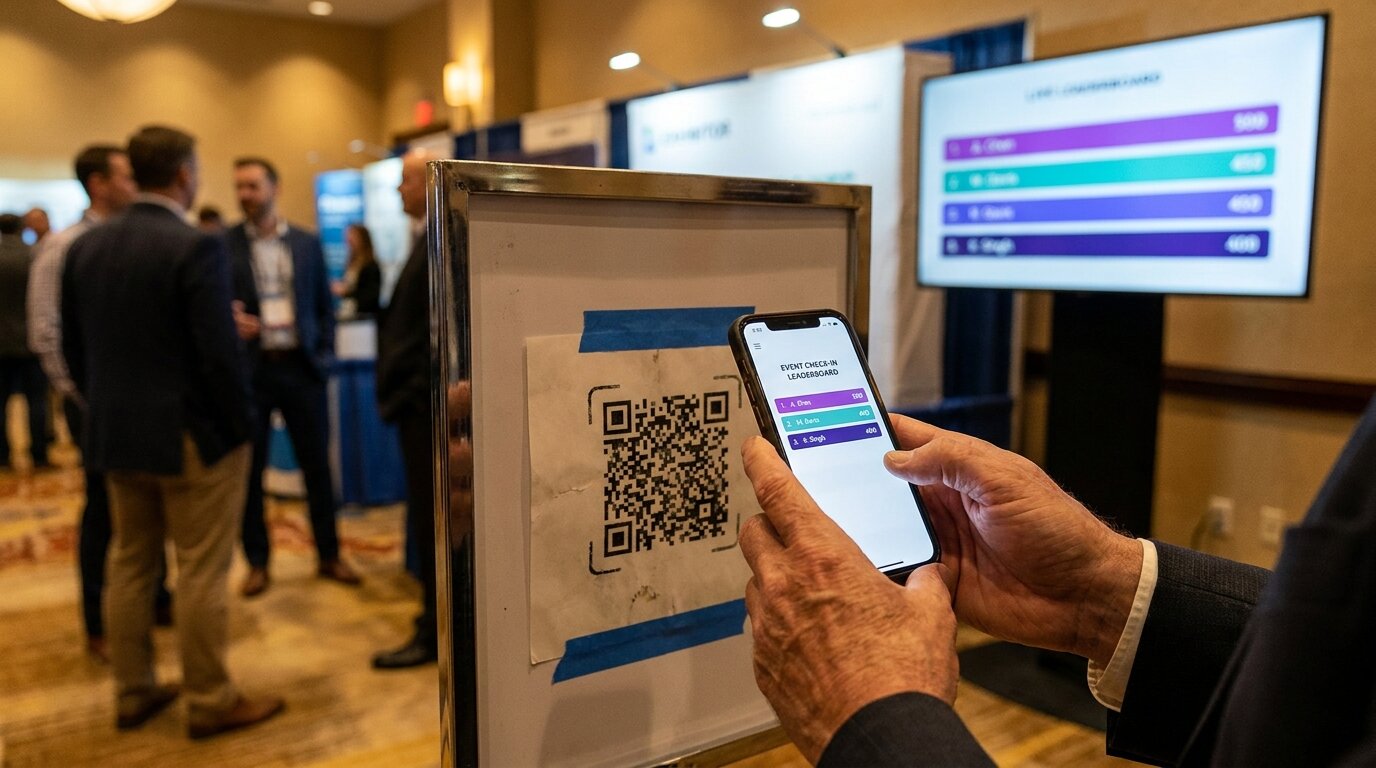
Run a booth game — putting green, reaction wall, racing sim — scored on a live leaderboard on your booth screen. To compete, players add themselves via Quick Join (included with the Pro plan): they scan your QR code, enter their name, and appear on the board. With participant data capture, the same join form collects email, organization, and any custom fields — private to you, never shown on the public board.
Now the lead capture is the game entry. Nobody is ambushed; they're signing up to win. The full setup guide covers displays, branding, and QR codes.
6. A QR checkpoint hunt (the passport play)
The floor-wide version. A QR Checkpoint Hunt puts a QR poster at every checkpoint — exhibitor booths, session rooms, sponsor stands, or stations around a single large booth. Attendees scan with their phone camera (no app, no account), and their first scan doubles as the sign-up: the check-in form collects their name plus email and organization by default. Every scan after that is a one-tap check-in that moves them up a live leaderboard.
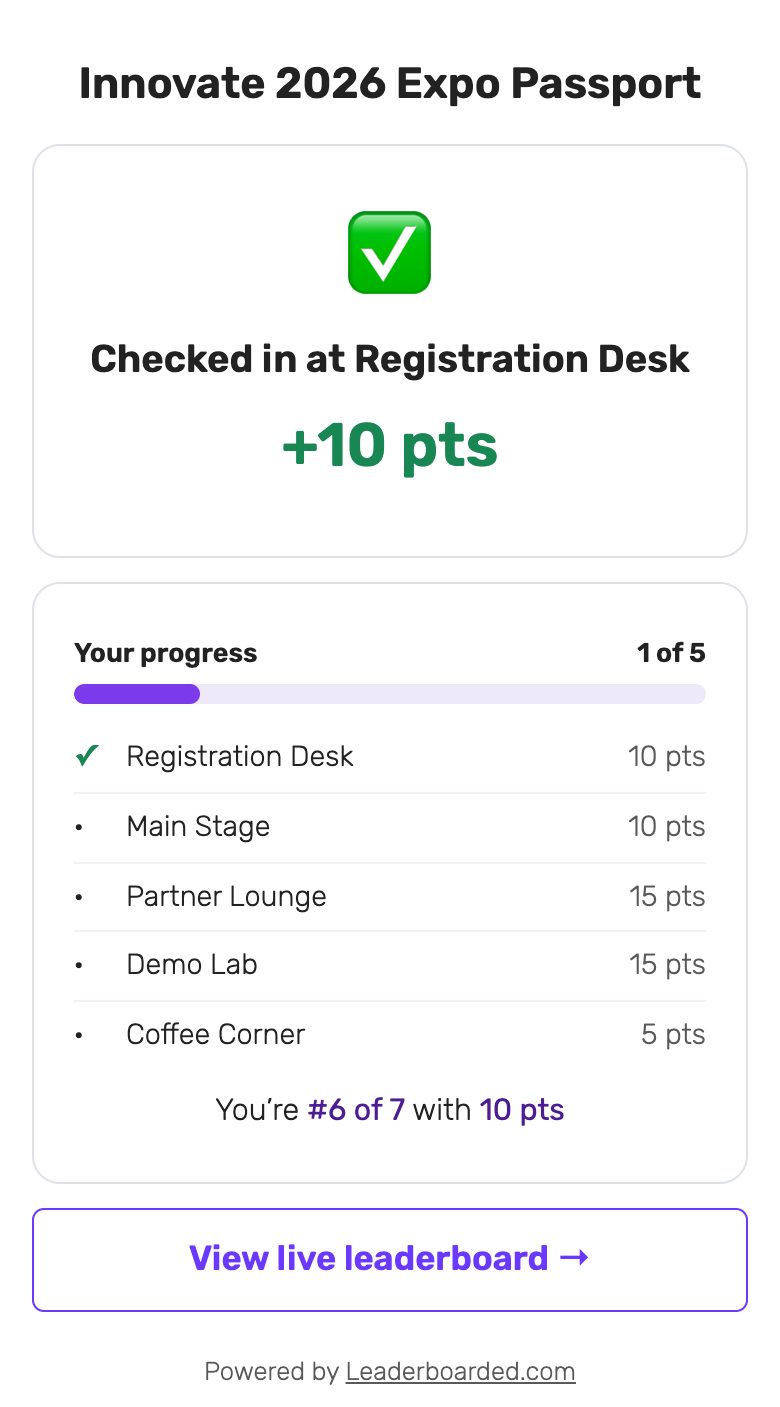
Two ways to run it:
- As the event organizer or headline sponsor: a passport hunt across all exhibitors, with the leaderboard on a screen at the entrance. Attendees route themselves to every participating booth, and the organizer ends the show with a consented contact list of every player.
- As a single exhibitor: a mini-hunt across your own booth — product stations, demo corners, a partner stand — so visitors tour everything you brought, not just the first table.
Setup takes about five minutes and it's free for up to 25 participants per hunt. After the show, the CSV export gives you each participant's details plus which checkpoints they visited — behavioral data no badge scanner collects.
7. A prize draw stacked on the game
Whichever game you run, multiply participation by drawing prizes from the players. "Finish all checkpoints to enter the 4 pm draw" turns completion into a ticket. Run the draw on a spin-the-wheel tool on the big screen — the animation gathers a crowd for the reveal, and the crowd is your last capture window of the day.
Comparison: Cost, Reach, and Data Quality
| Method | Typical cost | Reach beyond staffed conversations | Incentive to participate | Data quality |
|---|---|---|---|---|
| Official lead retrieval | Rented per event, per device | No | None | Registration-data dependent |
| Card/badge scanning apps | Subscription | No | None | Good, but manual |
| Fishbowl | Free | Yes | Prize only | Poor, unqualified |
| QR code to a form | Free | Yes | None | Low volume |
| Booth game + leaderboard | Pro plan features | Partially | Compete & win | Self-entered, game-qualified |
| QR checkpoint hunt | Free tier; paid plans for higher limits | Yes — the whole floor | Compete, complete, win | Self-entered + visit history |
| Prize draw on top | Cost of the prize | Follows the game | Strong | Follows the game |
Why Gamified Capture Outperforms the Ambush
The badge scanner treats lead capture as something done to attendees. A game flips it: people enter their details to get something — a spot on the leaderboard, a shot at the prize, the satisfaction of a completed passport. That consent context shows up in the data:
- Self-entered details beat mis-scanned badges and registration typos
- Participation is qualification — someone who visited eight checkpoints spent real time with you, and the export shows exactly which stops they made
- Privacy holds up: contact fields never appear on the public leaderboard, they're visible only to the organizer, and the whole platform is EU-based and GDPR-conscious — see the participant data capture docs
And the follow-up writes itself: export the CSV the evening the show closes, sort by checkpoints visited, and email the finishers first — while your booth is still the game they remember.
Frequently Asked Questions
How much does trade show lead retrieval cost?
Official lead retrieval is rented from the show organizer, typically a few hundred dollars per event per scanner or app seat, varying by show. Because it's per-event, the cost repeats at every show — one reason exhibitors on a budget switch to reusable methods like a game-based sign-up, which starts free.
Can I capture leads without renting a badge scanner?
Yes. Any method where attendees enter their own details works without organizer hardware: a leaderboard sign-up at your booth game, or a QR checkpoint hunt where the first scan collects email and organization by default. Both run in the attendee's phone browser with no app.
What details can a QR checkpoint hunt collect?
By default the first-scan form asks for name plus optional email and organization. The optional fields are visible only to you — on the hunt admin page and in the CSV export — never on the public leaderboard. Only the name appears publicly.
Turn Your Next Booth Into a Contact List
Pick the play that fits: a booth game with sign-up capture for a single stand, or a checkpoint hunt when you want the whole floor playing. Either way, the lead capture stops being a favor attendees do you — it's the price of entry to a game they want to win.
For game inspiration, start with 15 trade show booth games; for the display and scoring setup, see the trade show leaderboard guide.

Written by Caspar von Wrede
Founder of Leaderboarded. Building tools that help teams track progress and stay motivated.