Group Fitness Challenge Tracker: How to Pick the Right Tool
Choosing a tracker for your group fitness challenge? Compare spreadsheets, fitness apps, and dedicated leaderboards — and what keeps people engaged.
Article Contents
Picking the right tracking tool is the boring decision that quietly determines whether your group fitness challenge succeeds or evaporates after week two. The challenge ideas matter less than people think — what matters is whether participants can see where they stand without hunting for it.
This guide is about the tool, not the challenge. If you're still deciding what to run, see our fitness challenge ideas guide first.

Why Tracking Is the Make-or-Break Decision
The research on workplace wellness programs is consistent: programs that show progress visibly hold participation; programs that don't, lose half their joiners by week three. The challenge type — steps, miles, reps, weight loss — barely changes that pattern. The tracker does.
Three things go wrong without the right tool:
- Updates stop happening. Whoever volunteered to maintain the spreadsheet drifts away. Numbers go stale. People stop checking.
- Nobody can see progress. Results live in someone's inbox. There's no shared place to glance at standings, so the competition isn't really happening.
- Participants can't update their own scores. Every entry routes through one person, who becomes a bottleneck and eventually a quitter.
A good tracker solves all three by being public, low-friction to update, and visible by default.
The Three Categories of Tracker Tools
There's no single "best" tool — the right one depends on your group size and how much manual work you can absorb.
1. Spreadsheets (Google Sheets, Excel)
Good for: Groups of 5–15 people who already share a sheet, or anyone who wants zero learning curve.
Watch out for: Spreadsheets are private by default and look it. Nobody opens a Google Sheet "just to check." Without explicit visibility, the competition fades. They also have no native concept of ranking, charts, or live updates — you'll be the one rebuilding the sort every Monday.
If your group already lives in a sheet, connect it to a leaderboard tool so the data stays in your spreadsheet but the display becomes something people will actually look at.
2. Fitness Apps (Strava, Apple Fitness+, MyFitnessPal, Fitbit Premium)
Good for: Tech-savvy groups doing one specific activity (usually running, cycling, or step counting) where everyone happens to use the same app or ecosystem.
Watch out for: Fragmentation kills these. Half your team has Apple Watches, half has Garmin or Fitbit, two people use only their phone. Strava clubs work for runners and cyclists but not for strength challenges, weight loss, or anything that isn't GPS-tracked. And most of these apps charge per user — fine for two friends, expensive for an office of 40.
These work well as the measurement layer (your watch counts your steps), but they're rarely the right tracker for a multi-activity group challenge.
3. Dedicated Leaderboard Tools
Good for: Anything beyond a single GPS-tracked activity, especially groups that mix devices, or programs where you want to run multiple challenges over time on the same platform.
Watch out for: These don't auto-sync from your watch. Participants (or a scorekeeper) enter totals manually. That's a feature, not a bug — it works for any metric (steps, reps, miles, push-ups, pounds lost, minutes meditated) and across any device — but if your group expects automatic syncing from Apple Health, this isn't that.
Leaderboarded sits in this category. Free for small groups, flat-rate for larger ones, no per-seat pricing.

The Feature Checklist That Actually Matters
Most tool comparisons drown in features nobody uses. These are the ones that change participation rates.
Public, Always-On Visibility
If checking the standings requires logging in, opening an app, or hunting for a link, people stop checking. The leaderboard needs to live somewhere passive — a shared link people can bookmark, a tile on the company intranet, a TV in the break room, a Slack message pinned to the channel.
Test: can a participant glance at standings during a 10-second break between meetings, without typing a password? If yes, you're set. If no, find a different tool.
Self-Service Score Updates
If only one person can enter scores, that person becomes the bottleneck and eventually the quitter. Look for tools that let each participant update their own number — via a shared link, QR code, or simple registration. Bonus points if they can update from their phone in five seconds.
Flexible Metric Tracking
Your challenge might use steps this quarter and bench-press reps next quarter. The tracker shouldn't care. Look for tools that let you customize what's being measured — units (kg, lbs, miles, minutes), prefixes/suffixes, and team vs individual scoring. Leaderboarded supports custom score units and labels so the same platform works for any challenge format.
Team and Individual Views Side by Side
The strongest format combines individual rankings with team totals — every participant has two reasons to log their score. Beware tools that force you to pick one: pure individual leaderboards exclude smaller teams from the social pressure that drives participation; pure team totals let one slacker hide.
Real-Time Updates Across Devices
When a participant enters a score, everyone else sees it within seconds. This sounds obvious but spreadsheets and email-based trackers don't do it — they require someone to refresh, re-export, or rebroadcast. Real-time updates create the moment-to-moment momentum that turns "checking the leaderboard" into a habit.
Shared Link and Embed Options
Look for tools that produce a link you can paste into Slack, Teams, or your company intranet. Better tools also produce an embed code so the leaderboard appears directly on your wellness portal or company homepage. Anything that requires participants to "create an account first" loses 30%+ before they enter their first score.
Branding and Customization
Optional, but it matters more than you'd think. A leaderboard with your company logo and colors signals "this is a real program," not "the HR person threw something together." For internal challenges, custom branding is included in paid tiers of most tools — Leaderboarded ships it on the Plus plan.
Sane Pricing for Your Group Size
Per-user pricing makes sense at enterprise scale and breaks for smaller groups. A flat-rate $19/month tool covering up to 100 participants is dramatically cheaper than per-seat tools at $5/user/month — for a team of 30 that's $150/month versus $19 flat, and the gap widens as the group grows. Always do the math at your actual group size.

Decision Guide: Which Tool When
| Situation | Tool to Use |
|---|---|
| 3–8 close friends, one activity, you're all in the same group chat | Group chat + a shared note. Don't overthink it. |
| 10–30 people, mixed activities, want public visibility | Dedicated leaderboard (Leaderboarded) |
| Already maintaining a Google Sheet | Connect the sheet to a leaderboard so the display works without changing your workflow |
| Running a year-round wellness program | Dedicated leaderboard with team support, plus a program calendar |
| Pure cycling or running club, everyone uses Strava | Strava Clubs |
| 100+ employees, full enterprise wellness program | Wellable, Vantage Fit, or Virgin Pulse — they handle insurance integrations |
Why Leaderboarded Works for Most Groups
For groups between five and a few hundred, Leaderboarded is built around the features above without the per-seat tax of enterprise platforms.
- Flat pricing — $0 to start, $19/month flat covers up to 100 participants on the Plus plan
- Self-service updates — share one scorekeeper link and participants log their own scores from any device, no account or shared login needed
- Any metric, any unit — steps, reps, miles, kg, lbs, minutes, custom units
- Real-time updates and TV display — open the public link on any browser, on any screen
- Custom branding — logo, colors, theme on paid plans
- Embed anywhere — drop it into your intranet, SharePoint, or Slack channel
It doesn't auto-sync from fitness watches. That's by design — keeping it manual means it works for every device, every metric, and every challenge type. Participants log totals at end-of-week or end-of-day, and the leaderboard updates the moment they hit submit.
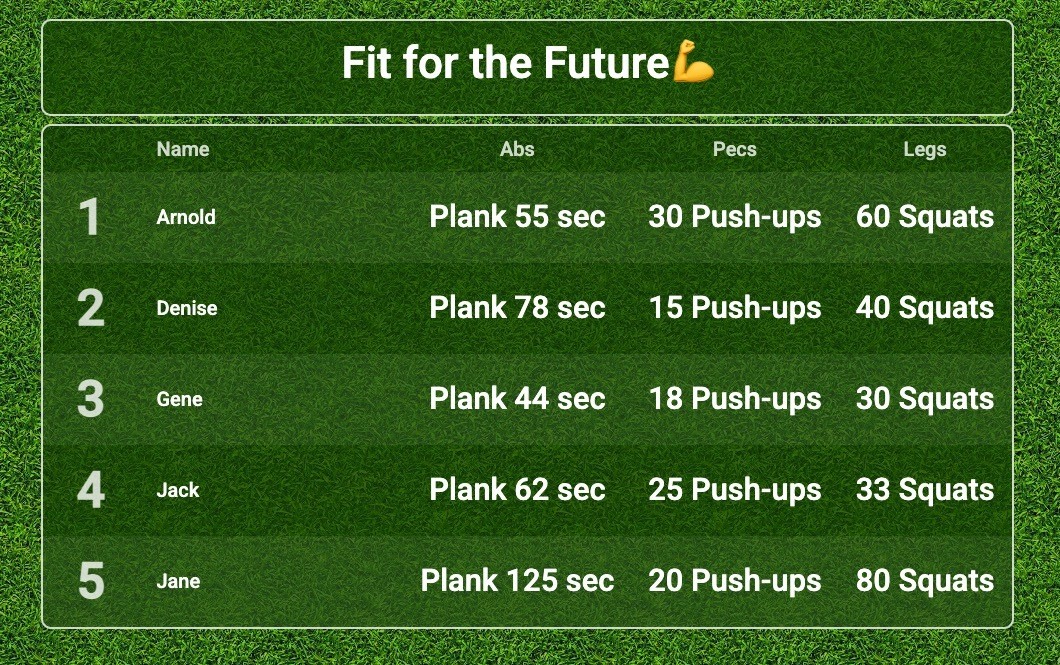 The right tracker turns a group challenge from "remember to check the spreadsheet" into "can't wait to see the leaderboard"
The tool you pick is the most underrated decision in running a group fitness challenge. Get it right and participants self-organize around it. Get it wrong and even the best challenge ideas die quietly in someone's inbox.
For challenge ideas themselves, see our fitness challenge ideas guide. For workplace programs specifically, our workplace wellness leaderboard guide covers year-round program planning. And when you've picked your tool, the group fitness challenge page shows how the leaderboard works for gyms, coaching groups, and friends-group challenges.

Written by Caspar von Wrede
Founder of Leaderboarded. Building tools that help teams track progress and stay motivated.