
Same shopping question pops up most weeks: "we just need a leaderboard — Leaderboarded or LeaderboardHQ?" Both tools fit the small-business-or-classroom slot of the market — free tier, no CRM integration, no sales call. The differences only matter when you map them onto what you'll actually do with the board.
Quick verdict, then the detail: if you'll run one leaderboard for one event and never come back, LeaderboardHQ's one-time upgrade is the cheaper path. If you'll run more than one — or you need team rollups, a goal tracker, sheet sync, or an API — Leaderboarded's $19/month is doing more work for you and avoids per-board upgrades stacking up.
What Is Leaderboarded?
Leaderboarded is a browser-based platform for creating real-time leaderboards, scoreboards, multi-column boards, team boards, and goal trackers. You create a board, add participants, share a link — anyone with the link sees live results.
Built for:
- Sales managers running team performance contests
- Teachers running classroom competitions and house-point systems
- Nonprofits displaying fundraising progress toward a goal
- Event organisers running multi-category competitions
- Streamers who want a live scoreboard in their OBS overlay
Setup takes a minute. No CRM required, no installation, no kickoff call. Connect a Google Sheet and the leaderboard updates as the sheet changes. Use the REST API to push scores from another system. Embed the board on any website, or display it full-screen on a TV.
Pricing is flat: the Plus plan is $19/month (billed annually) for up to 20 boards and 100 participants. The Pro plan is $39/month for up to 200 boards and 1000 participants. The free tier covers 2 boards with 25 participants. See leaderboarded.com/pricing/.
What Is LeaderboardHQ?
LeaderboardHQ is a focused online leaderboard generator. It does one thing well: create a leaderboard, add players, enter scores, share a link. It also supports a ladder tournament format where players challenge those ranked above them.
Built for:
- Casual users running a single leaderboard at work, home, or in the classroom
- Game-night organisers who want a quick ranking on a shared screen
- Sales teams running a one-off contest without a subscription
- Anyone who wants a leaderboard without "installation or account setup"
Pricing is freemium with one-time upgrades. The free tier shows LeaderboardHQ branding on the board. Paid upgrades unlock image uploads, color customization, auto-refreshing widgets, bulk player upload, public player creation, white-label (branding removal), and the website embed script. See leaderboardhq.com for current details.
Feature Comparison
Board types
The biggest practical difference. LeaderboardHQ offers leaderboards and a ladder tournament format. Leaderboarded covers six board types on the same account:
- Leaderboard — running rankings, the default
- Scoreboard — fixed-participant boards with rounds (good for sport scoring)
- Multi-column board — events scored across several categories or judges
- Team board — individual scores roll up to team totals
- Goal tracker / fundraising thermometer — visual progress toward a target
- Registration board — sign-up + leaderboard combined for event participants
If you only ever need one leaderboard, this isn't a deciding factor. If you run multiple kinds of competitions across the year — a sales contest in Q1, a step challenge in Q2, a classroom reading challenge in Q3 — having the formats on one account matters.
Team scoring

Leaderboarded supports team boards where each participant belongs to a team and individual scores aggregate to team totals automatically. Useful for classroom house points, sales team rollups, and relay-style competitions. LeaderboardHQ tracks individual rankings only — if you need "Team Red is ahead of Team Blue", you're either picking Leaderboarded or you're doing the math by hand.
Ladder tournaments
LeaderboardHQ supports ladder tournament mode, where players challenge those ranked above them and swap positions on a win. Leaderboarded doesn't offer this — its focus is ongoing rankings rather than challenge-based reshuffling. If ladders are your core need, LeaderboardHQ wins on this dimension.
Google Sheets and data import
Leaderboarded connects to a Google Sheet for live sync — update the sheet, the leaderboard updates. Also supports CSV upload for one-off imports and a REST API for programmatic updates.
LeaderboardHQ supports bulk player upload (paid) for CSV-based imports but doesn't have a live Sheets sync. If your scores already live in a spreadsheet and change daily, Leaderboarded saves the re-export step. If you populate the board once and update scores by hand, the difference doesn't matter.
REST API
Leaderboarded has a REST API for programmatic score updates — useful when scores are produced by another system (a CRM, an event app, a CTF platform, a fitness tracker). LeaderboardHQ doesn't offer a public API.
OBS streaming overlay
Leaderboarded boards can be loaded as a browser source in OBS or vMix for live streams. Stream a tournament, a charity broadcast, or a sales kickoff with the leaderboard rendered as a transparent overlay. LeaderboardHQ doesn't offer an OBS integration.
Embedding
Both tools embed on a website. LeaderboardHQ uses a script tag (paid upgrade). Leaderboarded uses an iframe (paid plans). Functionally similar; iframe embeds are simpler to drop into a CMS or Notion page, while script-tag embeds clash more often with strict Content Security Policies.
Branding and customization
LeaderboardHQ shows its branding on the free tier and unlocks image uploads, custom colors, and white-label as paid upgrades. Leaderboarded keeps its boards branding-free across all plans, with custom logo and colors available on paid plans.
Goal trackers and fundraising thermometers
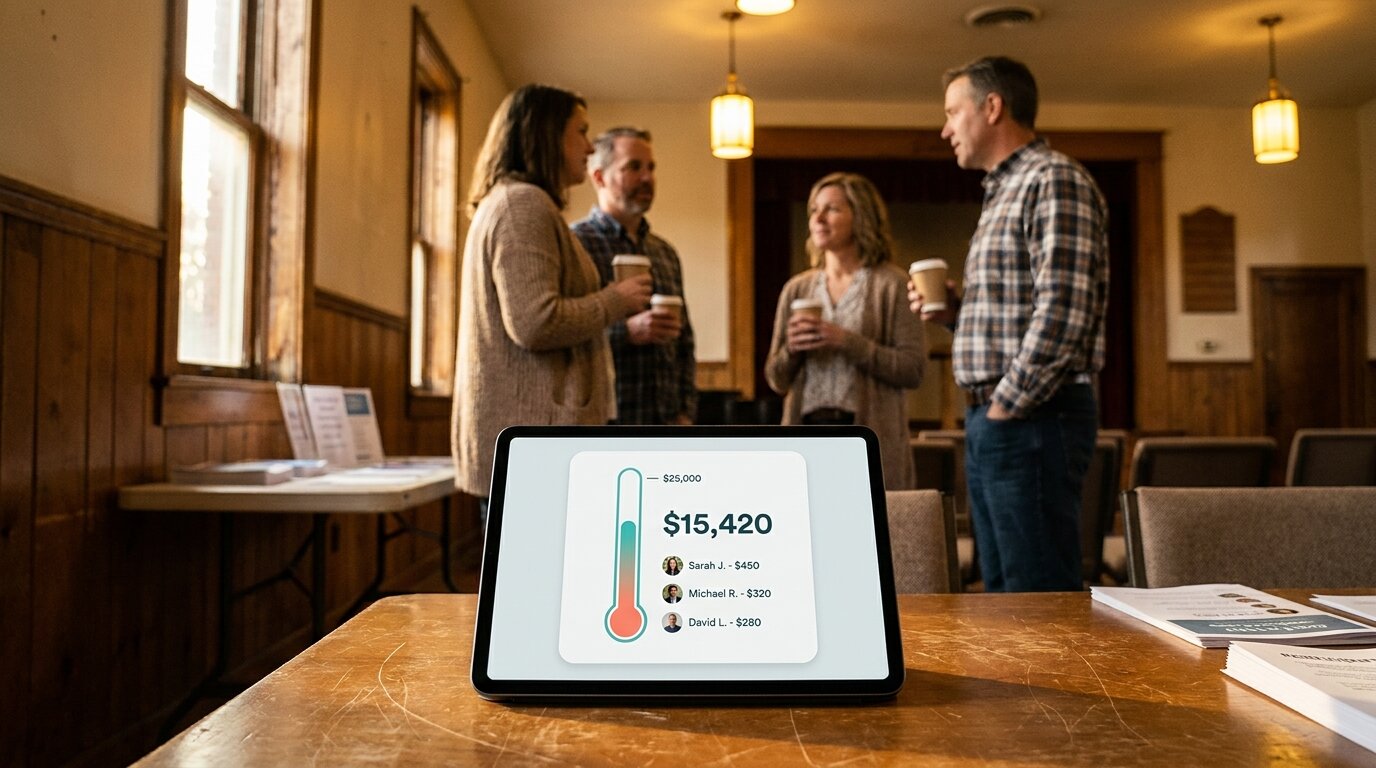
Leaderboarded includes goal tracker boards — visual thermometers that show progress toward a target. Common uses: fundraising campaigns, step challenges, reading goals, sales-quarter quotas. LeaderboardHQ has no equivalent. If you want a "$15k of $25k raised" visual alongside donor rankings, this is a one-vendor decision.
Scorekeeper / player self-update links
Both tools support links that let someone update scores without admin access. Leaderboarded calls this a scorekeeper link (typically used by a manager, teacher, or event volunteer). LeaderboardHQ offers per-player update links — each player gets a link to update their own score. Different shape, same underlying idea.
Use Case Comparison
Which tool is better for a single one-off competition?
Either works. For a game night, a one-week sales contest, or a class quiz tournament, LeaderboardHQ's freemium model with one-time upgrades is appealing — pay once to remove branding and you're done. Leaderboarded's free tier handles the same one-off case branding-free, but if you want a custom logo or website embedding, you're on the subscription.
Which tool is better for ongoing leaderboards?
Leaderboarded, and the math gets one-sided fast. A quarterly sales contest that rolls into the next, a school year of house points, a monthly fitness challenge — the flat $19/month covers unlimited rebuilds, branding, and integrations. On LeaderboardHQ, every new board with branding removed is another upgrade. Three or four boards in and you've paid more than a year of Leaderboarded Plus.
Which tool is better for classroom use?
Leaderboarded. Classroom competitions often need team boards (houses, table groups), goal trackers (class-wide reading goals), and a scorekeeper link for a classroom helper. Leaderboarded covers all three. LeaderboardHQ works for a single individual ranking but doesn't have team rollups or goal trackers.
Which tool is better for sales teams?
Leaderboarded. Sales leaderboards usually need team rollups, Google Sheets sync (or API push from a CRM via Zapier), and a full-screen office TV display. Leaderboarded covers that workflow on a flat subscription. LeaderboardHQ is workable for an individual-rep contest but doesn't have team rollups, sheet sync, or an API. For larger sales teams running on a CRM, see the Spinify alternatives guide and the Plecto alternatives guide.
Which tool is better for a ladder tournament?
LeaderboardHQ. Ladder tournament mode handles challenges and position swaps natively. Leaderboarded doesn't offer this format — don't try to force it.
Which tool is better for fundraising?
Leaderboarded. The fundraising thermometer board is purpose-built: visual progress toward a target, optional team breakdown, a public link to share with donors. LeaderboardHQ has no equivalent.
Which tool is better for streamers?
Leaderboarded. The OBS overlay loads a transparent leaderboard directly into a stream. LeaderboardHQ doesn't have a streaming integration.
Pricing
LeaderboardHQ uses a freemium model with one-time per-board upgrades. The free tier shows LeaderboardHQ branding. Upgrades cover image uploads, custom colors, embedding, bulk upload, public player creation, and branding removal. Prices appear in the upgrade flow rather than on a public pricing page — confirm directly on leaderboardhq.com.
Leaderboarded charges a flat monthly subscription. The Plus plan is $19/month (billed annually) for up to 20 boards and 100 participants. The Pro plan is $39/month for up to 200 boards and 1000 participants. The free tier includes 2 boards and 25 participants. Custom branding, Google Sheets sync, the REST API, and the OBS overlay are included on paid plans. Full details at leaderboarded.com/pricing/.
The Bottom Line
For a single time-boxed leaderboard — one tournament, one quiz night, one launch contest — LeaderboardHQ is the cheaper path. The one-time upgrade math beats a $19/month subscription you'll cancel two weeks later.
For anything you'll run more than once, the math flips. Three branded boards on LeaderboardHQ is already more than a year of Leaderboarded Plus, and that's before team rollups, goal trackers, sheet sync, the API, and the OBS overlay enter the picture. Leaderboarded isn't trying to be the cheapest leaderboard tool — it's the tool that earns its subscription when you keep coming back.
The honest exception: if your core need is a ladder tournament format, LeaderboardHQ supports it natively and Leaderboarded doesn't. Pick the right shape, not the cheapest sticker.
Still shopping? See the best online leaderboard maker tools guide for the full landscape, or compare Leaderboarded to Scoreleader, Spinify, Plecto, and SalesScreen. Browse all comparisons or see the full leaderboard software comparison.
Feature Comparison
| Feature | Leaderboarded | LeaderboardHQ |
|---|---|---|
| What it is | Browser-based platform for leaderboards, scoreboards, multi-column boards, team boards, and goal trackers | Simple online leaderboard generator with optional ladder tournaments |
| Who is it for | Sales teams, classrooms, events, nonprofits, streamers, and anyone running an ongoing ranking | Casual users running a single leaderboard for work, classroom, or game night |
| Core capability | Multiple board types with team scoring, Google Sheets sync, API, and website embedding | One leaderboard per board, with ladder tournament mode and player self-update links |
| Pricing model | Flat monthly subscription ($19–$39/mo) plus free tier | Freemium with one-time per-board upgrades |
| Free tier available | Yes (2 boards, 25 participants) | Yes (LeaderboardHQ branding shown on board) |
| Public pricing | Yes — listed on website | Upgrade flow lists prices; no published subscription plans |
| Setup time | Minutes | Minutes |
| Board types offered | Leaderboard, scoreboard, multi-column, team board, goal tracker / fundraising thermometer, registration board | Leaderboard and ladder tournament |
| Team boards (scores roll up to team totals) | ✓ | ✗ |
| Goal tracker / fundraising thermometer | ✓ | ✗ |
| Ladder tournament format | ✗ | ✓ |
| Player self-update links | Yes (scorekeeper link) | ✓ |
| Bulk player upload | Yes (CSV) | Yes (paid) |
| Google Sheets live sync | ✓ | No (bulk CSV import only) |
| REST API | ✓ | ✗ |
| OBS streaming overlay | ✓ | ✗ |
| Embed on website (iframe / script) | Yes (iframe) | Yes (script tag, paid) |
| Custom logo and colors | Yes (paid) | Yes (paid) |
| Remove competitor branding | No branding on board | Paid upgrade required |
| Full-screen / TV display | ✓ | Yes (Broadcast view) |
| Mobile app | No (mobile-responsive web) | ✗ |
| Score reset / player elimination | ✓ | ✓ |
| GDPR compliant / EU data | ✓ | Unknown |
Which One Should You Choose?
Choose LeaderboardHQ if...
- You need a ladder tournament format and only a ladder tournament
- You want one-time per-board upgrades instead of an ongoing subscription
- You're running a single, time-boxed leaderboard and don't need ongoing features
- Your audience only needs the basic 'add player, enter score, see ranking' loop
Choose Leaderboarded if...
- You need more than one board type — leaderboards, scoreboards, team boards, and goal trackers in one place
- You want team boards where individual scores roll up to group totals
- You need a [goal tracker or fundraising thermometer](/fundraising-thermometer/) alongside your rankings
- Your scores live in a Google Sheet and you want live sync, not periodic CSV uploads
- You need a [REST API](/docs/api/) so scores can be pushed from another system
- You're a streamer and need an [OBS overlay](/docs/streaming-software/)
- You want a flat monthly fee that covers ongoing use without per-board upgrades stacking up
- You want a dedicated [scorekeeper link](/docs/how-to-share/) for a colleague to update scores without admin access
Frequently Asked Questions
"Is Leaderboarded a direct replacement for LeaderboardHQ?"
For the core 'create a leaderboard and share a link' job, yes — both tools do that and both have free tiers. Leaderboarded covers a wider surface area: team boards where scores roll up to a group total, goal trackers and fundraising thermometers, multi-column boards for events with several metrics, Google Sheets live sync, a REST API, and an OBS streaming overlay. LeaderboardHQ stays focused on single leaderboards — plus a ladder tournament mode that Leaderboarded doesn't offer.
"How does LeaderboardHQ pricing work?"
LeaderboardHQ uses a freemium model with one-time per-board upgrades, not a subscription. The free tier shows LeaderboardHQ branding on your board. Paid upgrades unlock image uploads, custom colors, auto-refreshing embedded widgets, bulk player uploads, public player creation, white-label (branding removal), and the website embed script. Specific prices aren't published on the homepage — you'll see them in the upgrade flow inside the app. Leaderboarded charges a flat monthly subscription ($19/mo Plus, $39/mo Pro) that covers branding and all features without per-board upgrades stacking up.
"Does Leaderboarded support ladder tournaments?"
Not as a dedicated format. Leaderboarded focuses on ongoing rankings rather than ladder-format competition where players challenge those above them. If ladder tournaments are your core need, LeaderboardHQ has them and Leaderboarded doesn't have a direct equivalent.
"Does LeaderboardHQ have Google Sheets integration?"
Not as a live sync. LeaderboardHQ offers bulk player upload (paid), which works for an initial import or periodic CSV refreshes. Leaderboarded connects to a Google Sheet directly — update the sheet, the leaderboard updates. For teams that already track scores in a spreadsheet, the live-sync route saves a manual re-export every time scores change.
"Can I embed and display a leaderboard on a TV with both tools?"
Yes on both counts. Leaderboarded embeds via iframe (paid plans) and opens full-screen on any browser, smart TV, Chromecast, or Fire Stick with auto-scroll and custom branding. LeaderboardHQ uses a script-tag embed (paid) and a 'Broadcast' view for public displays. Functionally similar; iframe embeds are simpler to drop into a CMS or Notion page, script-tag embeds clash more often with strict Content Security Policies.
"Which tool is better for classroom use?"
Leaderboarded. Classroom leaderboards usually need team scoring (houses, table groups, reading-circle groups), individual student rankings, and a goal tracker for class-wide targets. Leaderboarded handles all three on a single account. LeaderboardHQ works for a simple class-wide individual ranking but doesn't have team rollups or goal trackers.
"Which tool is better for sales team leaderboards?"
Leaderboarded. Sales leaderboards usually need to pull from a spreadsheet or CRM, support team rollups (regions, pods, AE/SDR splits), and run on a TV display for the office. Leaderboarded's Google Sheets sync, team boards, and full-screen display cover that workflow. LeaderboardHQ is workable for a single individual-ranking contest but doesn't have team rollups or sheet sync.
"Can I try Leaderboarded before paying?"
Yes. The free tier includes 2 boards with 25 participants each — no credit card required, no Leaderboarded branding on the board. See leaderboarded.com/pricing/ for plan details.
Try Leaderboarded Today
Pick from leaderboards, scoreboards, team boards, or goal trackers. Flat $19/month — no per-board upgrades. Start with the free tier.
Information about LeaderboardHQ was accurate as of May 2026. Visit https://leaderboardhq.com for latest details.