How to Create and Manage an Online Quiz Leaderboard
Learn how to create and manage an engaging quiz leaderboard. Discover tips for fair scoring, creative themes, and maintaining player motivation.
Article Contents
When Who Wants to Be a Millionaire launched in 1998, something clicked. Millions watched ordinary people answer trivia questions for money, shouting at their TVs when contestants missed "obvious" answers. The format spread to 160 countries. Quiz nights took over pubs. Words with Friends became a cultural phenomenon.
People enjoy proving what they know — and seeing where they rank.
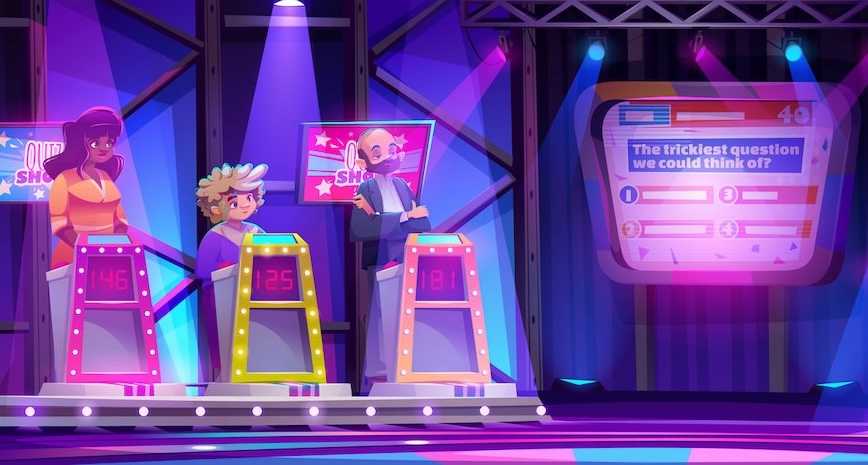
Why a Leaderboard Makes Quizzes Better
A quiz without scores is just a test. Nobody wants to relive school exams on a Friday night.
A leaderboard changes the dynamic. When you can see you're two points behind first place with one round left, that's not just trivia — that's tension. The competitive element transforms passive answering into active engagement.
Online leaderboards add another dimension: real-time updates that work for remote participants. Friends in different cities can watch the same quiz show and track who's winning as it happens. No trust required — the scores update live.
 A quiz leaderboard from Leaderboarded.com
Planning Your Quiz Leaderboard
Before creating your leaderboard, decide on the format:
Scoring system. How do you award points? One point per correct answer is simple. Bonus points for speed adds pressure. Negative points for wrong answers discourages guessing but can frustrate casual players.
Individuals vs teams. Solo competition creates clear winners. Team play encourages collaboration and keeps weaker players engaged.
Single round or multiple rounds. A single round works for quick games. Multiple rounds with different categories (history, science, pop culture) let different knowledge areas shine.
Visual style. Your leaderboard should be readable at a glance. Leaderboarded offers themes you can customize — add your logo, change colors, pick a background that matches your event.
Creating Your Quiz Leaderboard
Standard Leaderboard (Single Round)
For straightforward competitions:
- Click the button above.
- Enter participant names and choose your score format.
- Set your scoring unit (e.g., "points" or "correct answers").
- In settings, pick a theme and add a title.
- Add a description to explain rules if needed.
For detailed customization options, see our customization guide.
Scoresheet with Rounds
For quiz nights with multiple categories:
 A quiz scoresheet from Leaderboarded.com
- Click the button above.
- Enter participant names and scoring format.
- In settings, describe each round: "Round 1: Famous Dead People; Round 2: Historical Cities; Round 3: Renaissance Painters."
- After completing a round, add the next round and continue scoring.
For Quiz Competitions with Judges
Running a quiz bowl, spelling bee, or academic competition where answers need evaluation? Our Competition Judging feature lets multiple judges score independently. Each judge submits their rating, and the system combines them fairly. Score Judge handles the complexity of multi-judge scoring so you don't have to.
Running a Fair Competition
Nothing kills engagement faster than a leaderboard that feels rigged or neglected.
Update consistently. If you're not scoring in real-time, set expectations. "Scores updated after each round" or "Final standings posted at 9pm." Participants check back more when they know when to expect updates.
Appoint a neutral scorekeeper. When competition gets intense, accusations of favoritism follow. An impartial quizmaster prevents disputes.
Calibrate difficulty. If only one person answers correctly all night, everyone else loses interest. If everyone gets everything right, there's no separation. Aim for questions where 40-70% of participants get the answer.
Keeping It Interesting
The same quiz format every week gets stale. Mix things up:
Themed rounds. Halloween horror trivia. Olympics sports questions. Holiday music identification. Seasonal themes give you new material and let you customize the leaderboard visuals to match.
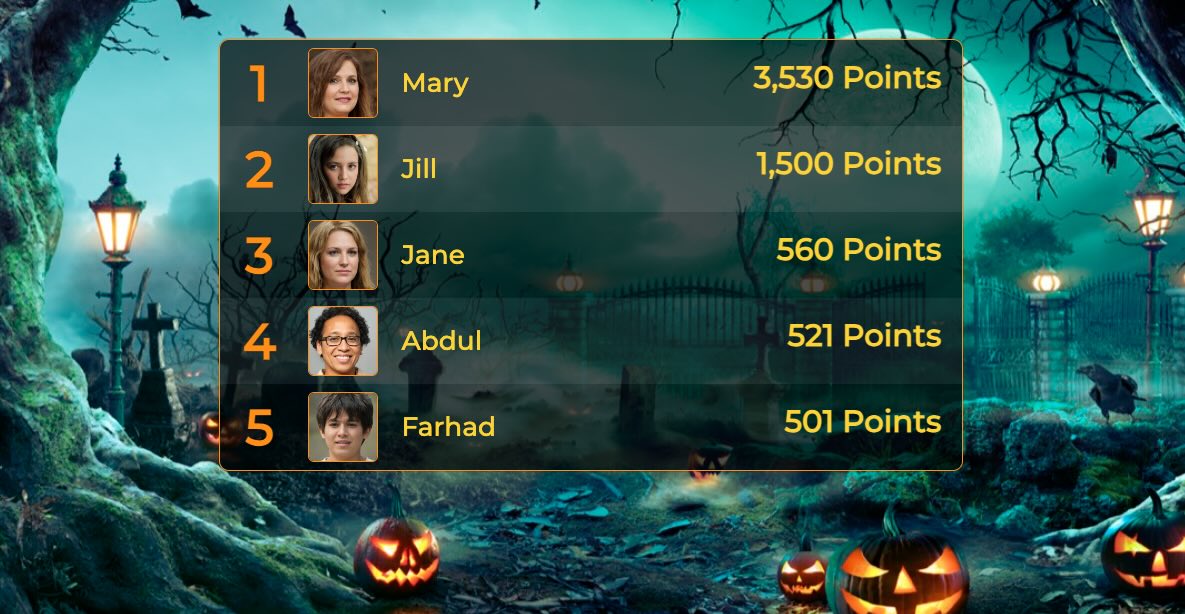 A halloween-themed leaderboard
Stakes that matter. Glory is fine. But "first team to 1,000 cumulative points wins pizza for the office" creates sustained engagement across multiple events.
Series competitions. A single quiz night is fun. A month-long tournament with weekly rounds and a grand finale creates anticipation and regular participation.
Varied question types. Pure trivia favors the same knowledge bases every time. Mix in math puzzles, picture rounds, or audio clips to level the playing field.
Display Tips for Events
When showing your leaderboard on a screen or projector, a few URL parameters help:
Focus mode. Add &show_search=false&allow_comments=false to hide interface elements and create a clean display.
Auto-scroll for large groups. Add &autoscroll_enabled=true to cycle through all participants without manual scrolling.
Multi-screen setups. Use rank filtering to show different portions of the leaderboard on different screens.
Full details in our TV display guide.
Good questions are half the battle. The other half is keeping score in a way that maintains tension and rewards participation. A visible, updated leaderboard transforms a quiz from a forgettable activity into an event people want to return to.

Written by Caspar von Wrede
Founder of Leaderboarded. Building tools that help teams track progress and stay motivated.


