WordPress Leaderboard Plugin — Add Live Scoreboards to Any Post
Add a WordPress leaderboard to your site in under 60 seconds. Free plugin, real-time updates, no coding needed. Works with any theme.
The easiest way to add a WordPress leaderboard to your site. Install our free plugin, paste a shortcode, and you have a live, auto-updating leaderboard on any post or page.
Scores, rankings, and participant names update in real-time — no page refresh needed. Works with any WordPress theme and the block editor (Gutenberg).
You need the Pro paid plan to use the WordPress leaderboard plugin.
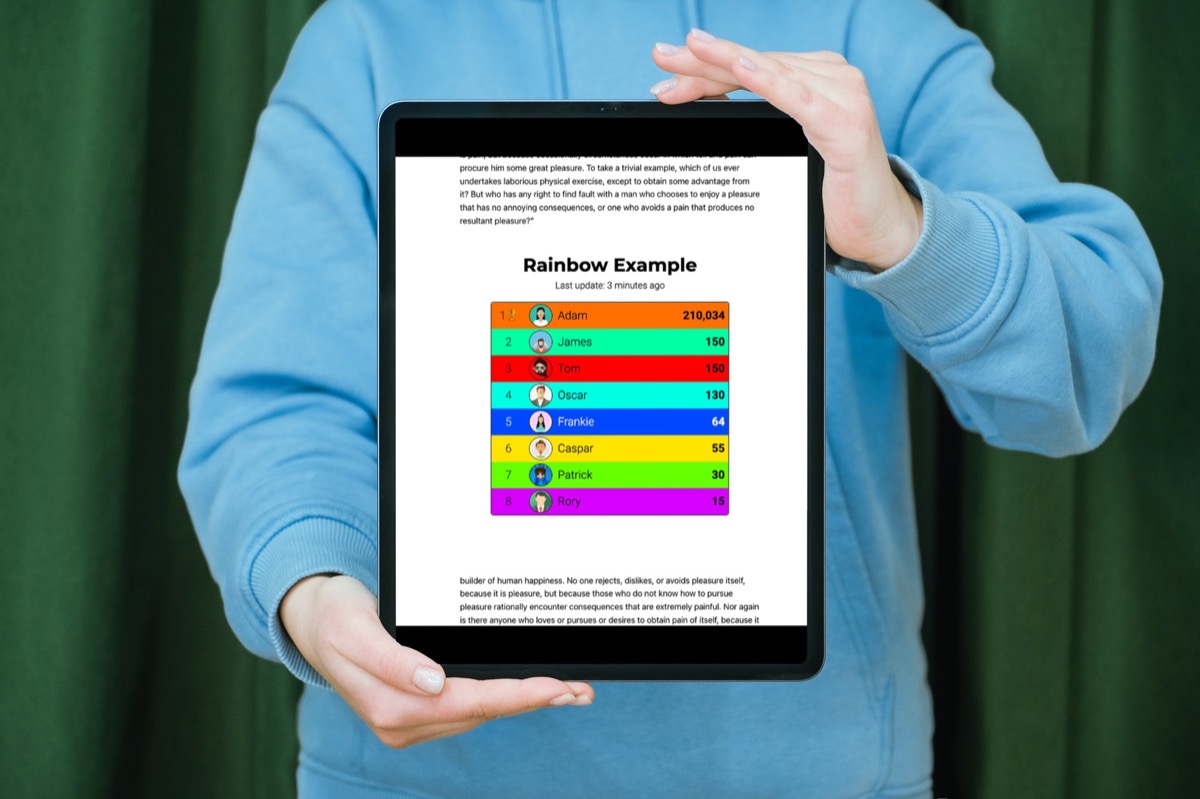
How the WordPress leaderboard plugin works
Three steps:
- Install the "Leaderboarded" plugin from the WordPress directory.
- Create a leaderboard on Leaderboarded.com and get its shortcode.
- Paste the shortcode into your post.
That's it — your WordPress leaderboard is live.
1. Install the WordPress plugin
You only do this once. After that, you can add as many boards to as many posts as you like.
- Go to your WordPress site and log in
- Go to
Plugins→Add New - Search for
"leaderboarded"and click the correct result - Click
Install Now - Click
Activate Plugin
You can also download the plugin directly from the official WordPress plugin directory and upload it manually:
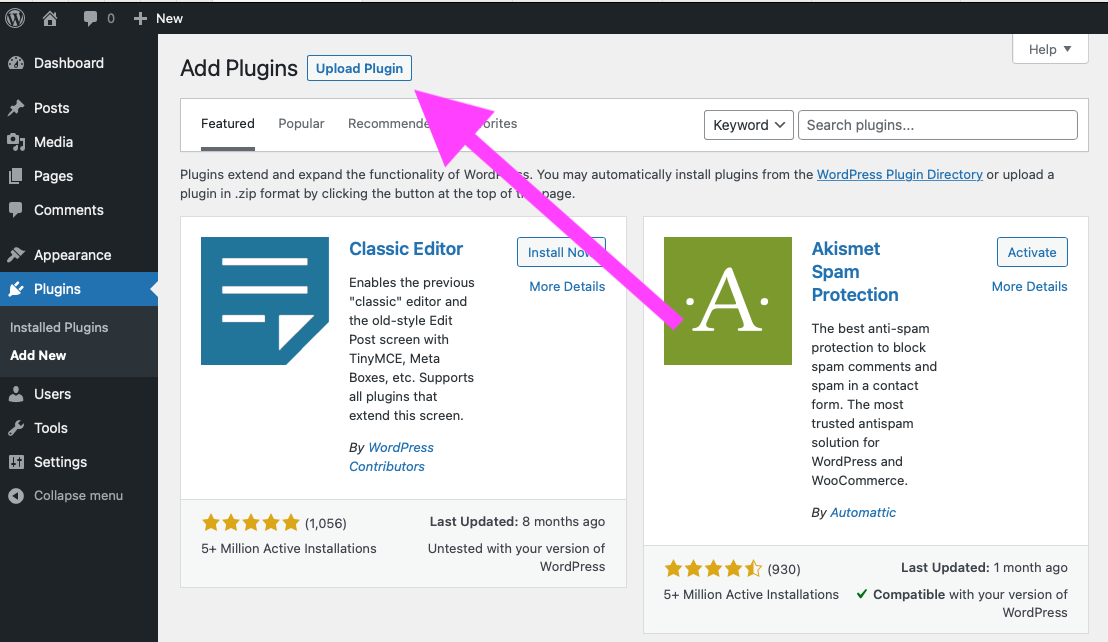
If you find the plugin useful, please consider leaving a review.
2. Create a board and get its shortcode
Choose the type of board you want to create. See this page for examples and explanations of all board types.
Note: You can embed all board types. Get in touch if you need any special features.
- Create a leaderboard by clicking the button above.
- Click Share in the toolbar.
- Expand the Embed on a website section.
- Click COPY TO CLIPBOARD to copy the shortcode.
- Your shortcode looks like this:
[leaderboarded token="rvfafgignlr"]. That's what you'll paste into your post.

3. Add the shortcode to your post
Shortcodes are a WordPress feature that let you quickly insert dynamic content into posts. We're assuming you're using the block editor (Gutenberg), which shipped with WordPress 5.0.
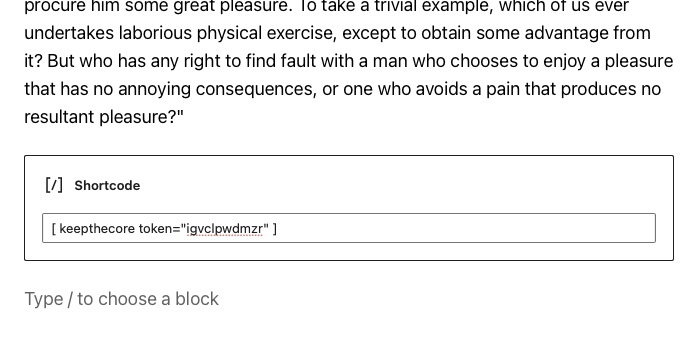
- Start a new paragraph and type "/"
- Select
Shortcodefrom the list and press enter - Paste the shortcode from step 2 — it should look like
[leaderboarded token="rvfafgignlr"] - Save your post. Your board should now be visible.
Updating your WordPress leaderboard
Once your leaderboard is embedded, update scores, colors, participant names, or anything else by logging into Leaderboarded.com. Changes sync to your WordPress post automatically — no need to edit the post again.
What you can embed
The WordPress leaderboard plugin supports all board types:
- Leaderboards — ranked lists with scores, perfect for competitions and challenges
- Scoreboards — track points across teams or individuals
- Goal trackers — fundraising thermometers and progress bars
- Counters — simple click-to-increment tallies
See all board types for examples.